


projects360 proOps 10.0.46 for Project Operations introduces a set of new features such as such as ‘Cost Inflation in Opportunity line’, ‘Reconcile Bookings on Projects’, ‘Configurable Weekly Period on Effort Allocation’, ‘Syncing Bookable Resource’s roles from Finance and Operation to Project Operations’. This release also includes enhancements to existing features such as Responsible fields in Opportunity and Display of Effort Assignment.
New Features
Cost Inflation in Opportunity line
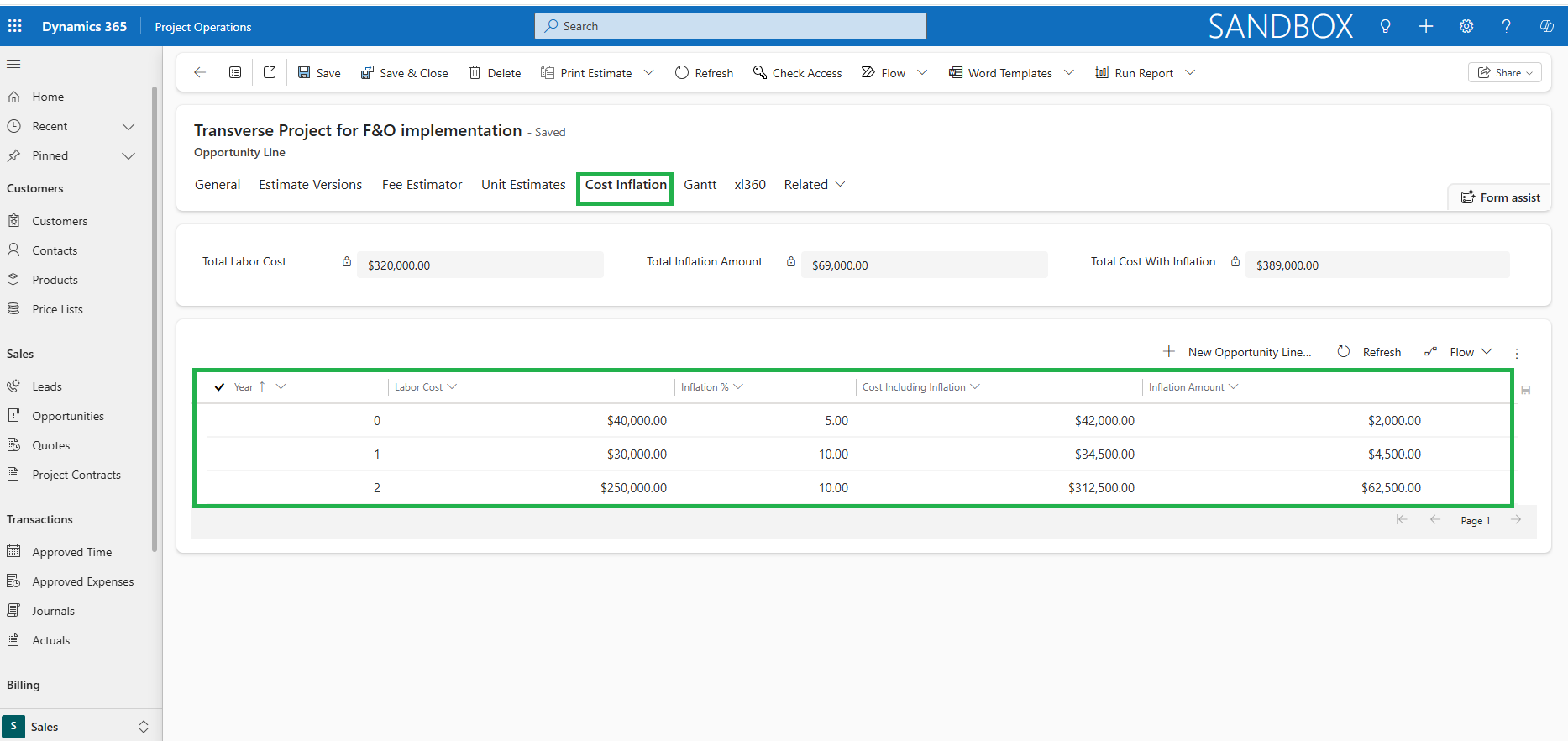
This feature allows users to define and track cost inflation estimates at the ‘Opportunity line’ level for each ‘Fee estimate version’, ensuring inflation impacts are accurately reflected in total cost calculations.
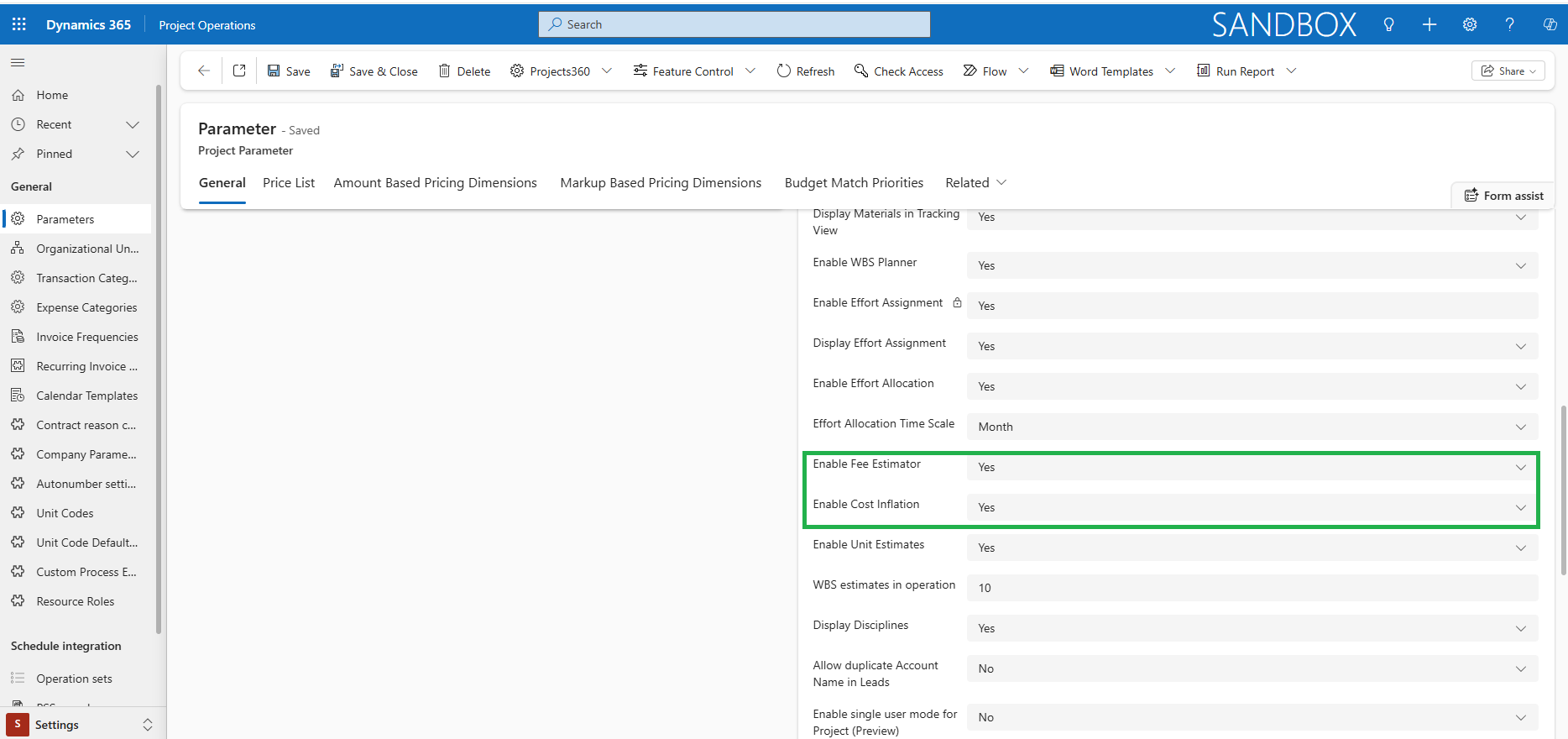
- The Cost Inflation tab and related grid appear on the Opportunity Line when ‘Enable Cost Inflation’ is set to Yes in Parameters (only possible if ‘Enable Fee Estimator’ is set to Yes).
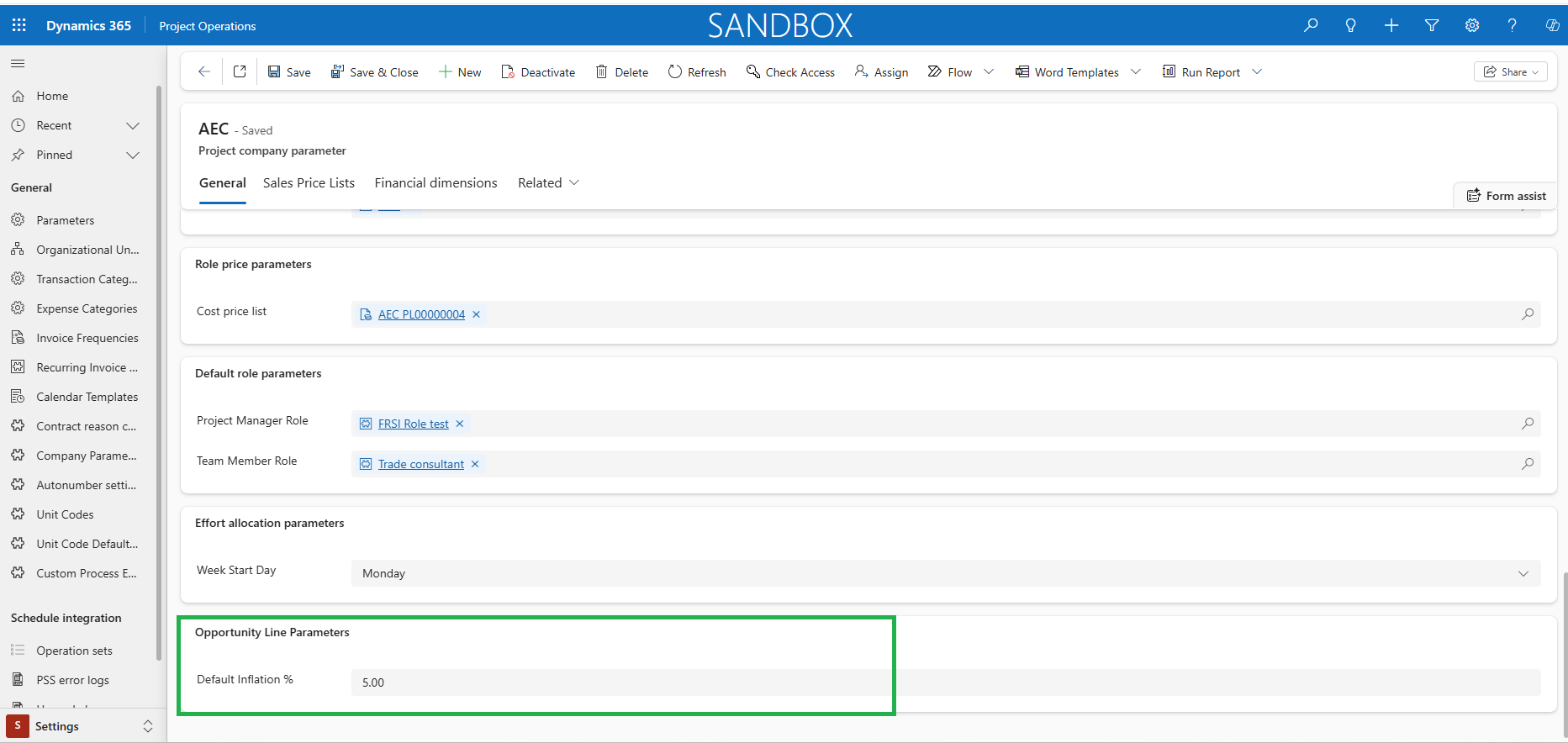
- Cost Inflation is created using a quick create form where users can provide Labor cost and Inflation % which can be defaulted from the Company parameters setup. Fee estimate version is defaulted based on the selection of estimate version in Fee estimator.
- A new Cost Inflation column is added to the Fee Estimator. It shows the aggregated inflation amount for the corresponding estimate version from the related Cost Inflation records. Only the Total Inflation Amount is shown in the column.
- Cost Inflation is included in the Total Cost calculation of the Fee Estimator totals.
Bookings Reconciliation
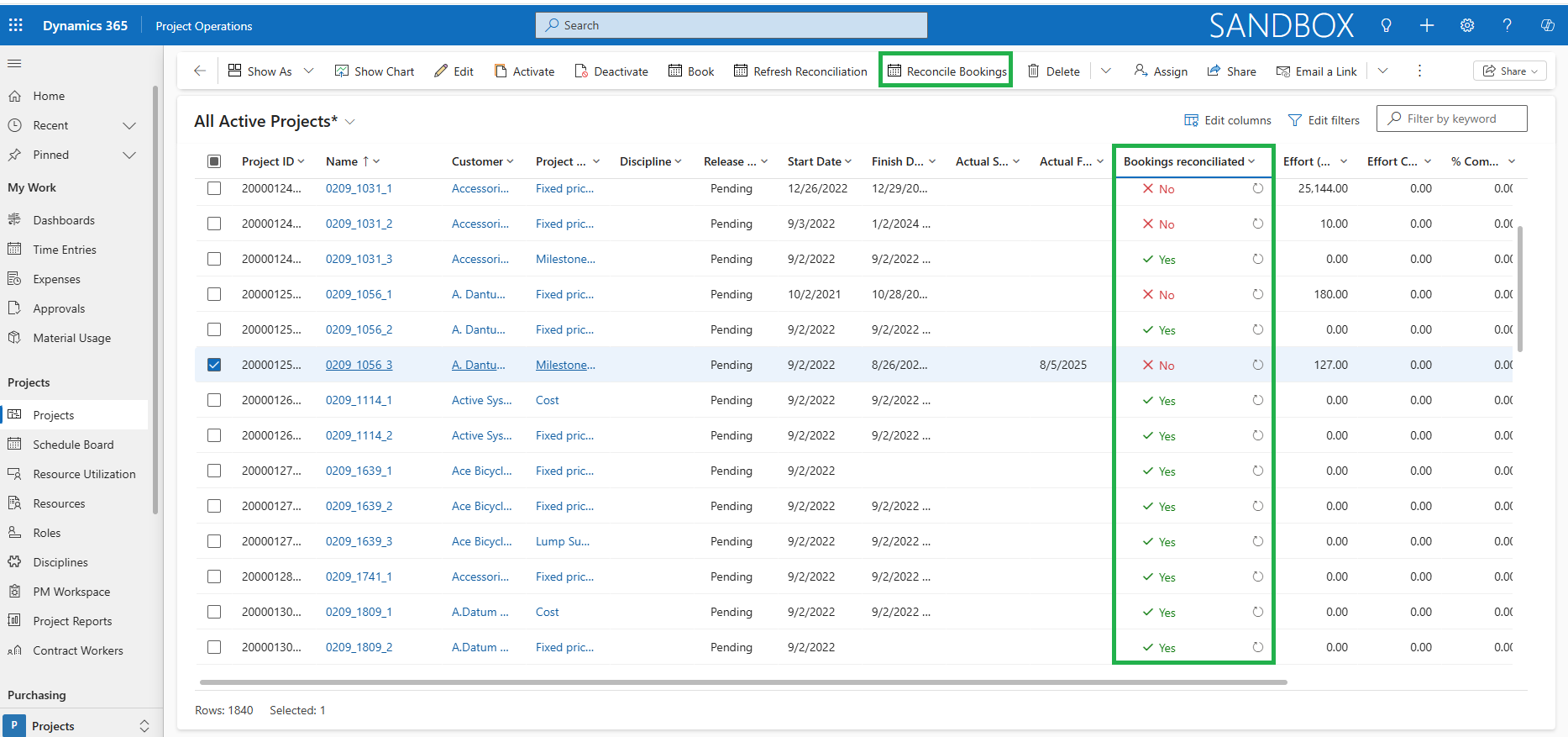
This feature allows users to run booking reconciliation for multiple projects at once and quickly identify any mismatches between resource assignments and bookings directly from the projects overview form.
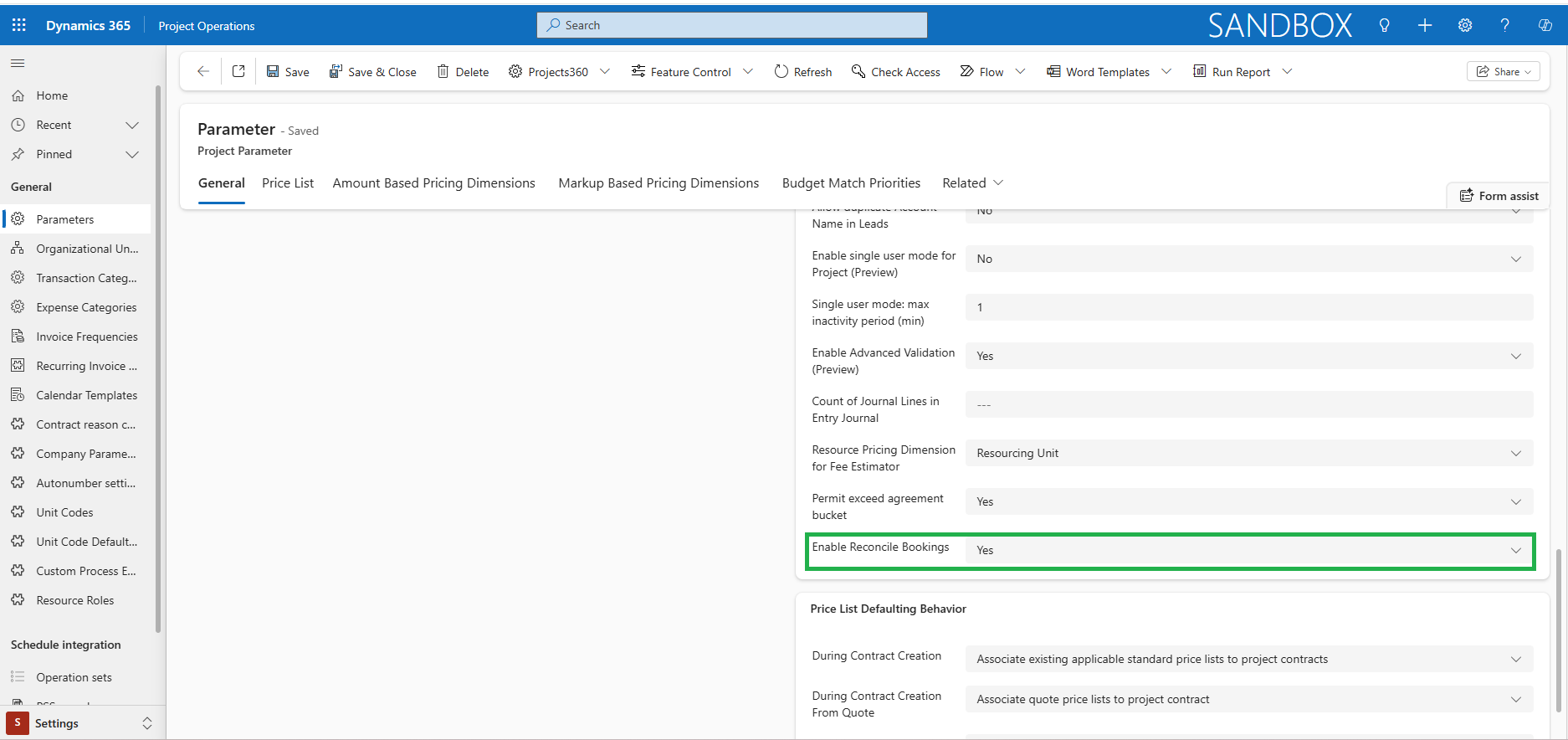
- The reconciliation of bookings is available only when ‘Enable Reconcile Bookings’ parameter is set to Yes.
- The scheduled periodic process allows the new indicator column ‘Bookings reconciliated’ on the Projects overview grid to display ‘Yes’ when there are no mismatches between assignments and bookings & display ‘No’ when mismatches exist based on Resource Reconciliation data for the projects.
- Users can filter projects by indicator value to focus on reconciled or mismatched records.
- The ‘Reconcile Bookings’ button lets users automatically review, cancel, and re-book all resource bookings for a selected project in one click to ensure they exactly match current assignments.
Configurable Weekly Period on Effort Allocation
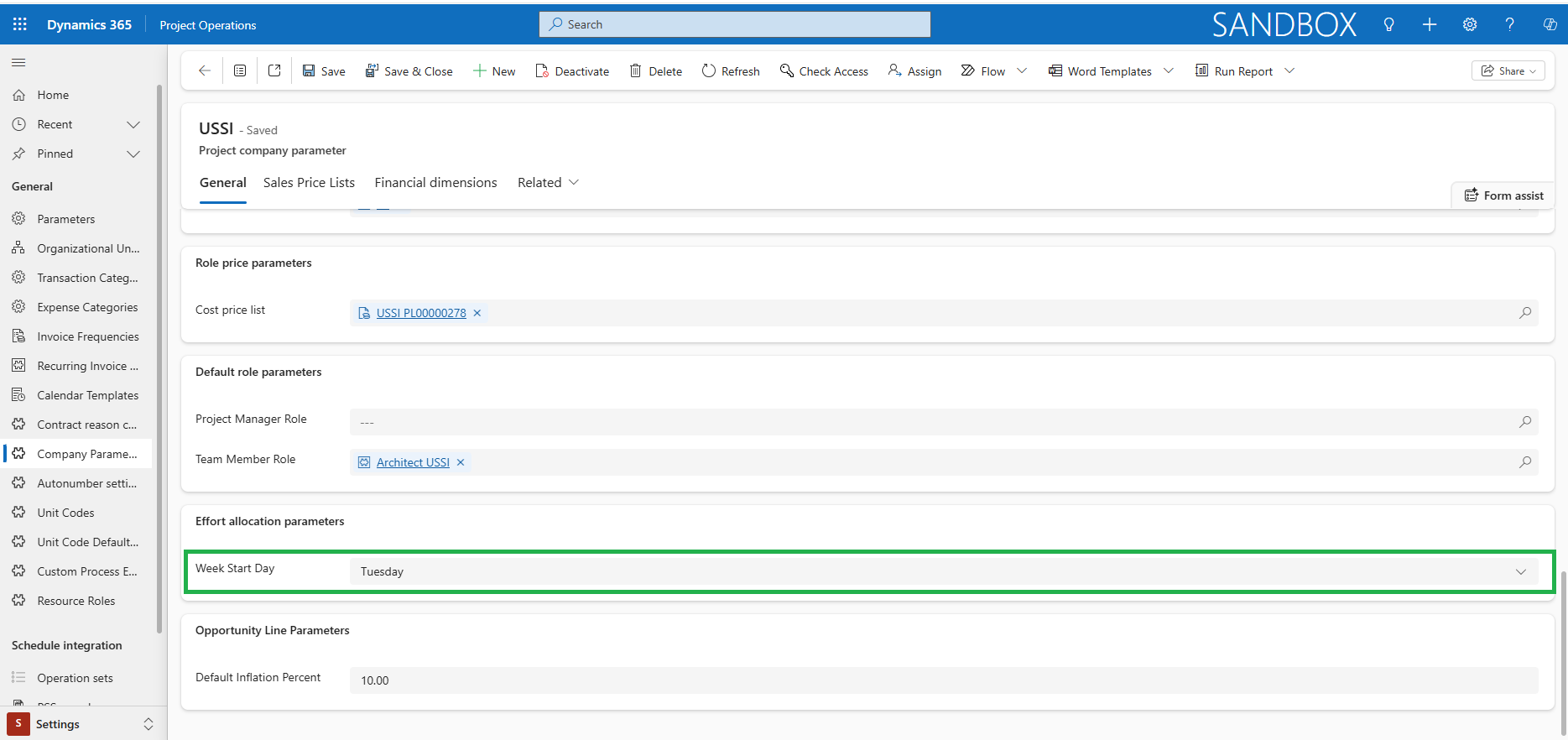
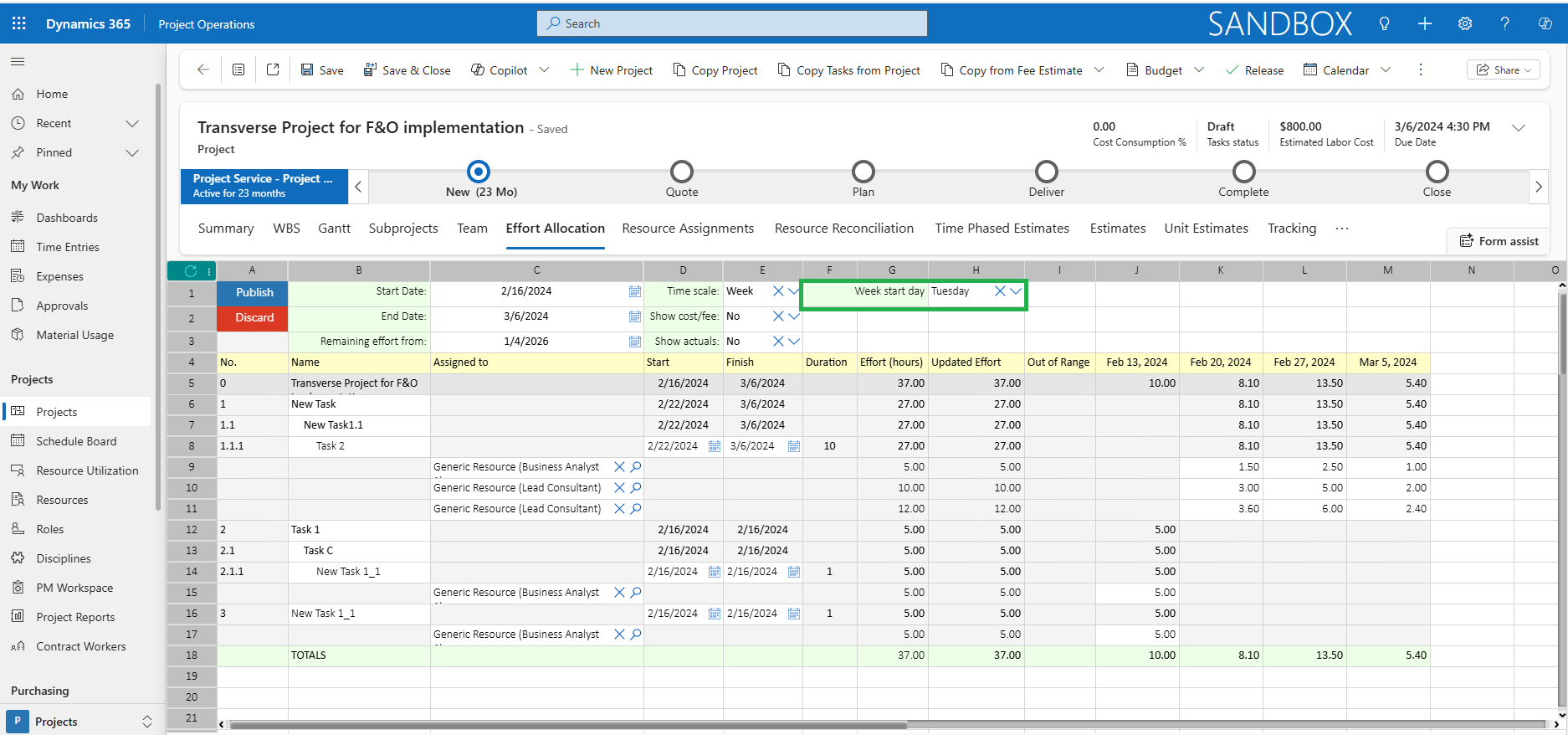
This feature enables the first day of the week to be configured on the Effort Allocation spreadsheet instead of defaulting to Sunday, allowing organizations in different regions to use their preferred week start day.
- The ‘Week Start Day’ can be defined in Company Parameters and defaults the first day of the week on Effort Allocation.
- The field ‘Week Start Day’ is displayed in Effort Allocation only when ‘Effort Allocation Time Scale’ is set as Week in parameters or Time Scale is selected as ‘Week’ in Effort Allocation.
- The efforts of the assignments and the dates are recalculated based on the Week Start Day selected in the Effort Allocation.
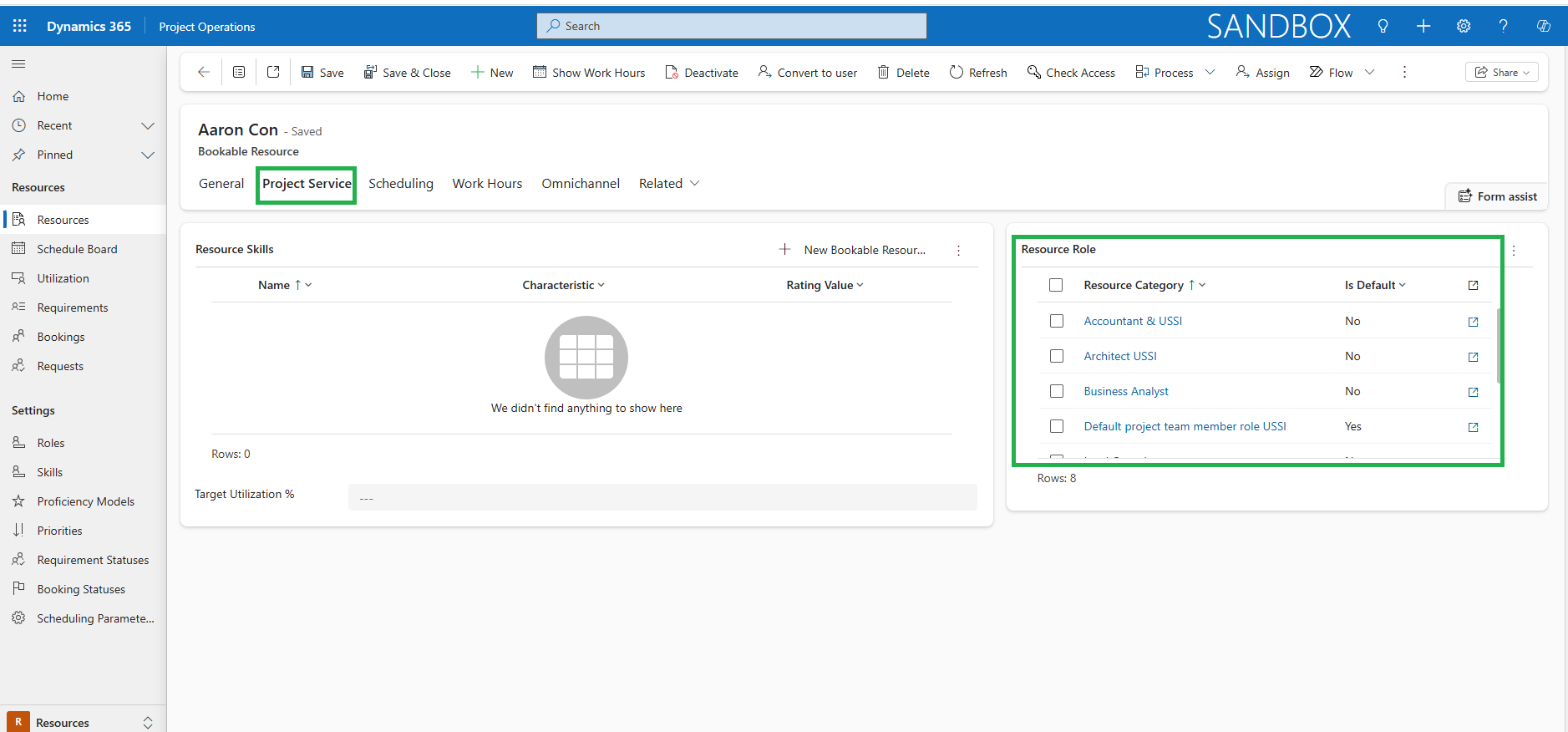
Syncing Bookable Resource’s roles from Finance and Operation to Project Operations
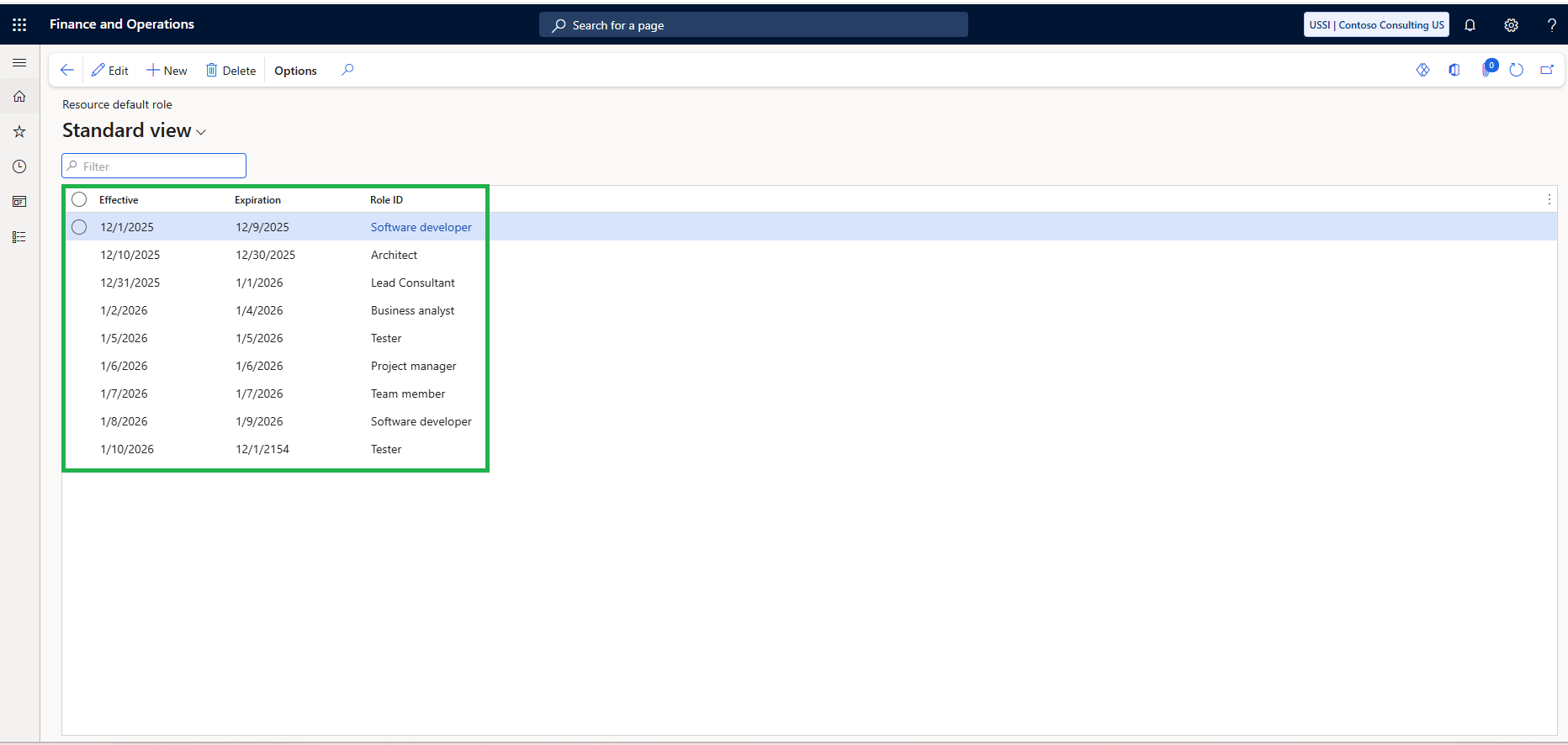
This feature enables the role assigned to a resource in Finance and Operations to automatically be applied to the corresponding Bookable Resource in Project Operations, ensuring role consistency across integrated systems without manual configuration.
- The role defined on a resource in Finance and Operations is synced to the Bookable Resource in Project Operations.
- The sync improves data consistency across systems and supports seamless integration between resource’s roles in Finance and Operations and Project Operations.
Features Enhanced
Responsible fields in Opportunity
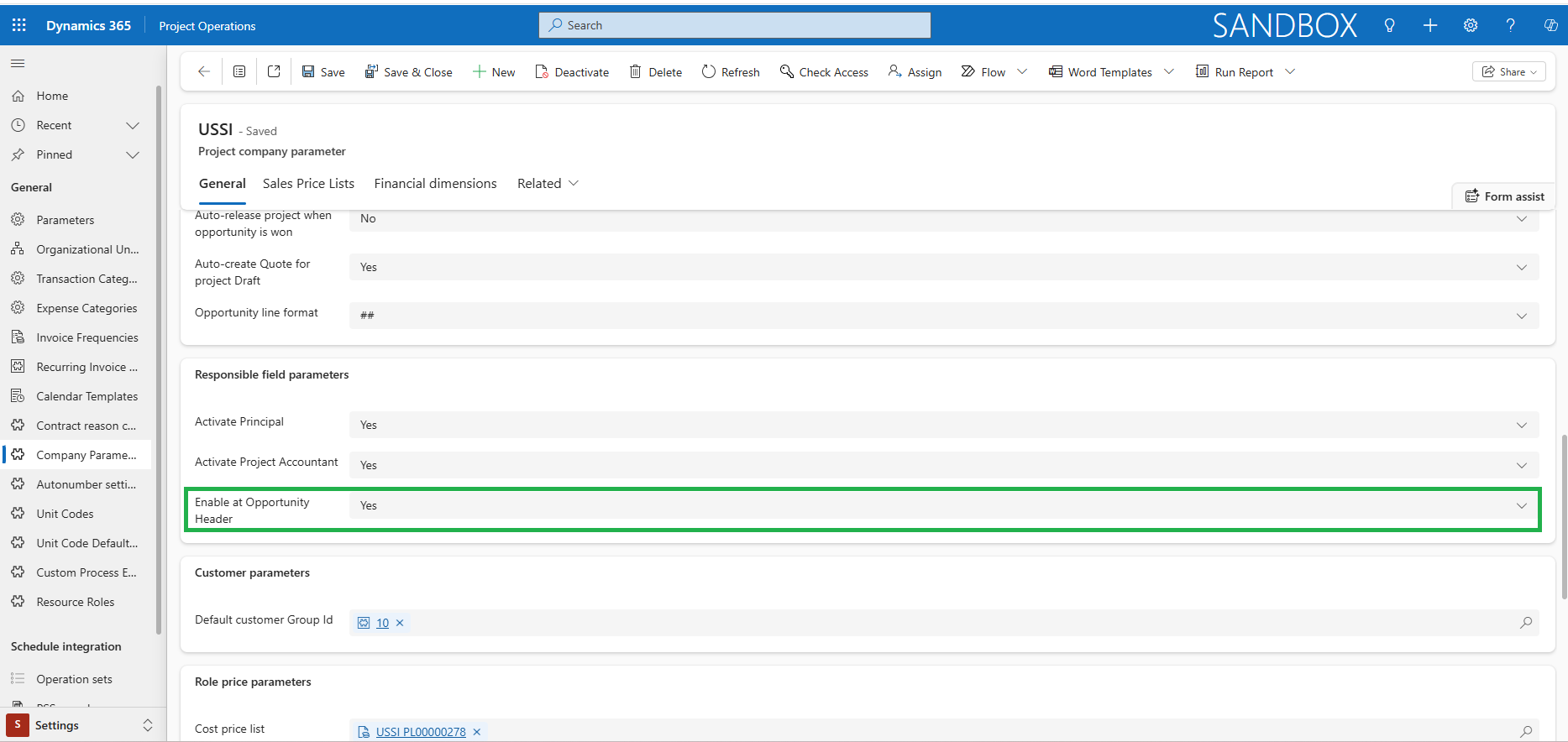
This enhancement enables responsible fields currently shown at the Opportunity line to be optionally configured and displayed at the Opportunity as well.
- The new company parameter ‘Enable at Opportunity Header’ must be marked as ‘Yes’ to display the Responsible fields at the Opportunity.
- The responsible fields defined in the Opportunity are defaulted to the project if they are left blank at the Opportunity line.
Display of Effort Assignment
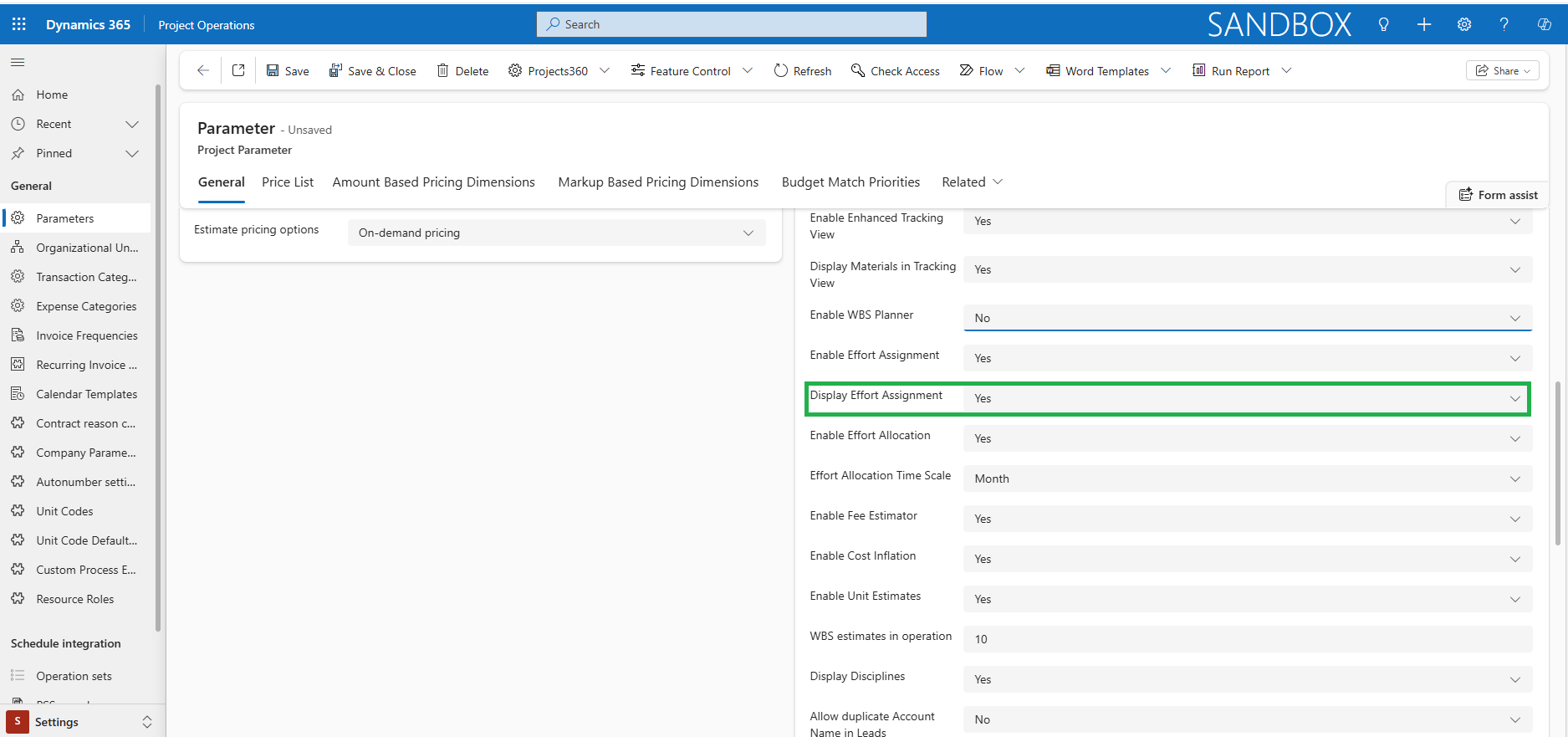
This enhancement enables Effort Assignment to show on Microsoft Planner projects along with Effort Allocation.
- The system will display Effort Assignment details on Microsoft Planner projects when the parameter ‘Display Effort Assignment’ is marked as ‘Yes’. If it is not selected, effort assignments will remain hidden.
 |
Note – We recommend avoiding activating Effort Allocation and Effort Assignments at the same time, as this may lead to overlapping data issues. |