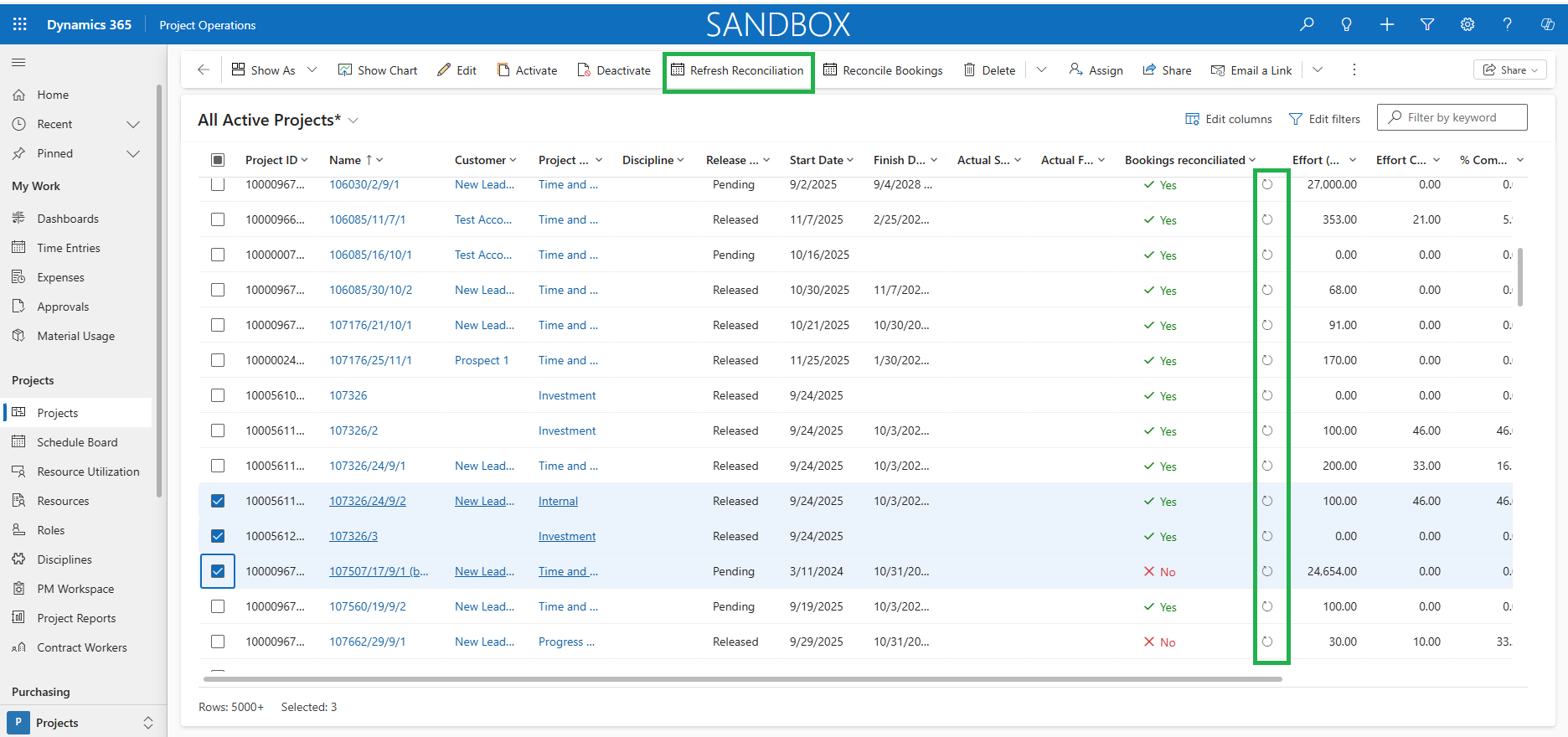
The ‘Bookings Reconciliation’ feature makes it easier to keep project bookings aligned with resource assignments. It helps project managers to streamline the process of fixing the mismatches so that bookings always reflect the latest assignments.
Configuration
The highlighted section below shows the essential setups that System Administrator must configure to use the ‘Bookings Reconciliation’ feature. This feature can be activated in the Parameters.
- This parameter controls the process associated with this new ‘Bookings Reconciliation’ feature within the Projects and Projects overview form.
Go to Settings > General > Parameters -> Project360 -> Enable Reconcile Bookings
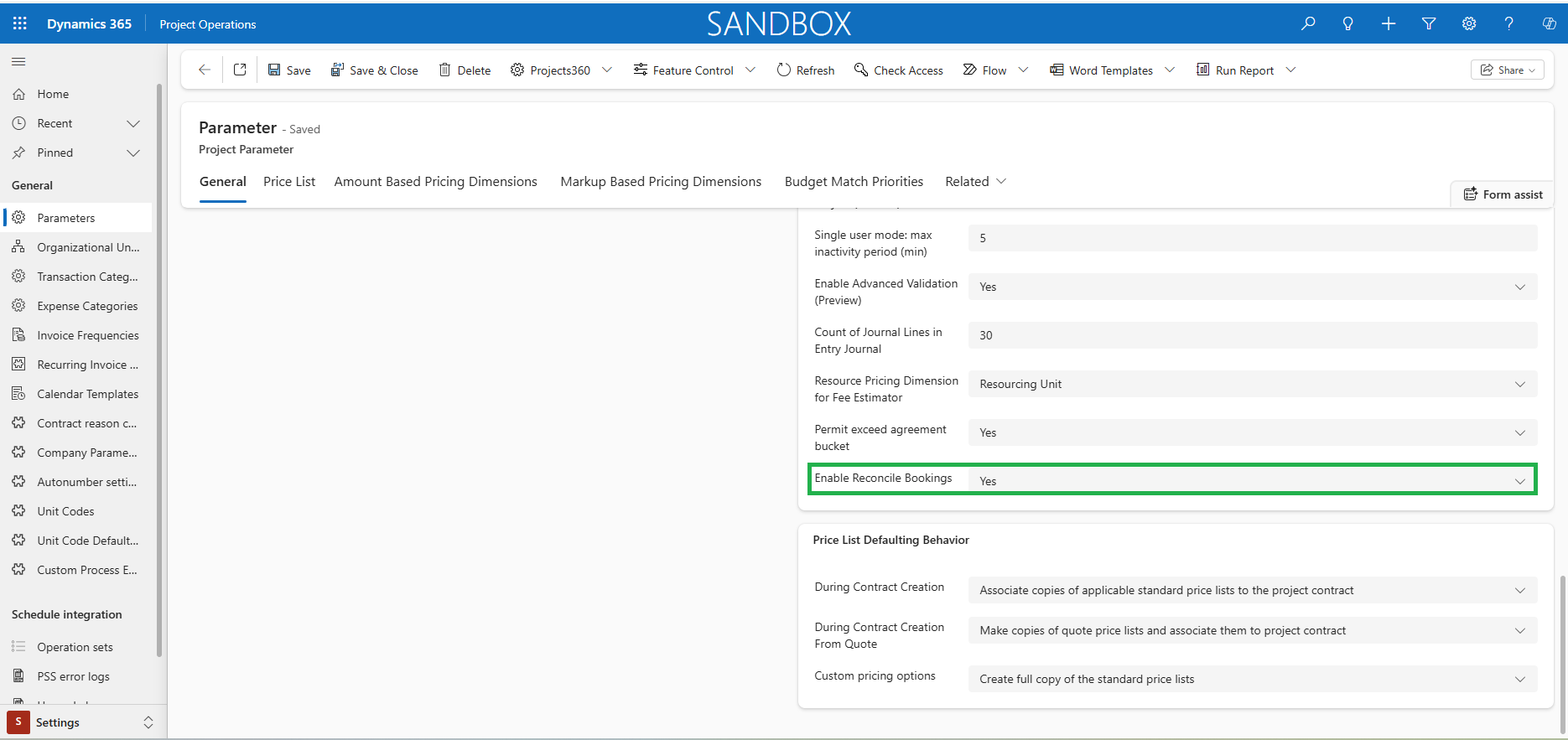
Details of fields required for Bookings reconciliation feature are as follows:
| Fields | Description |
| Enable Reconcile Bookings | Set as “Yes” to activate the new Bookings reconciliation process. |
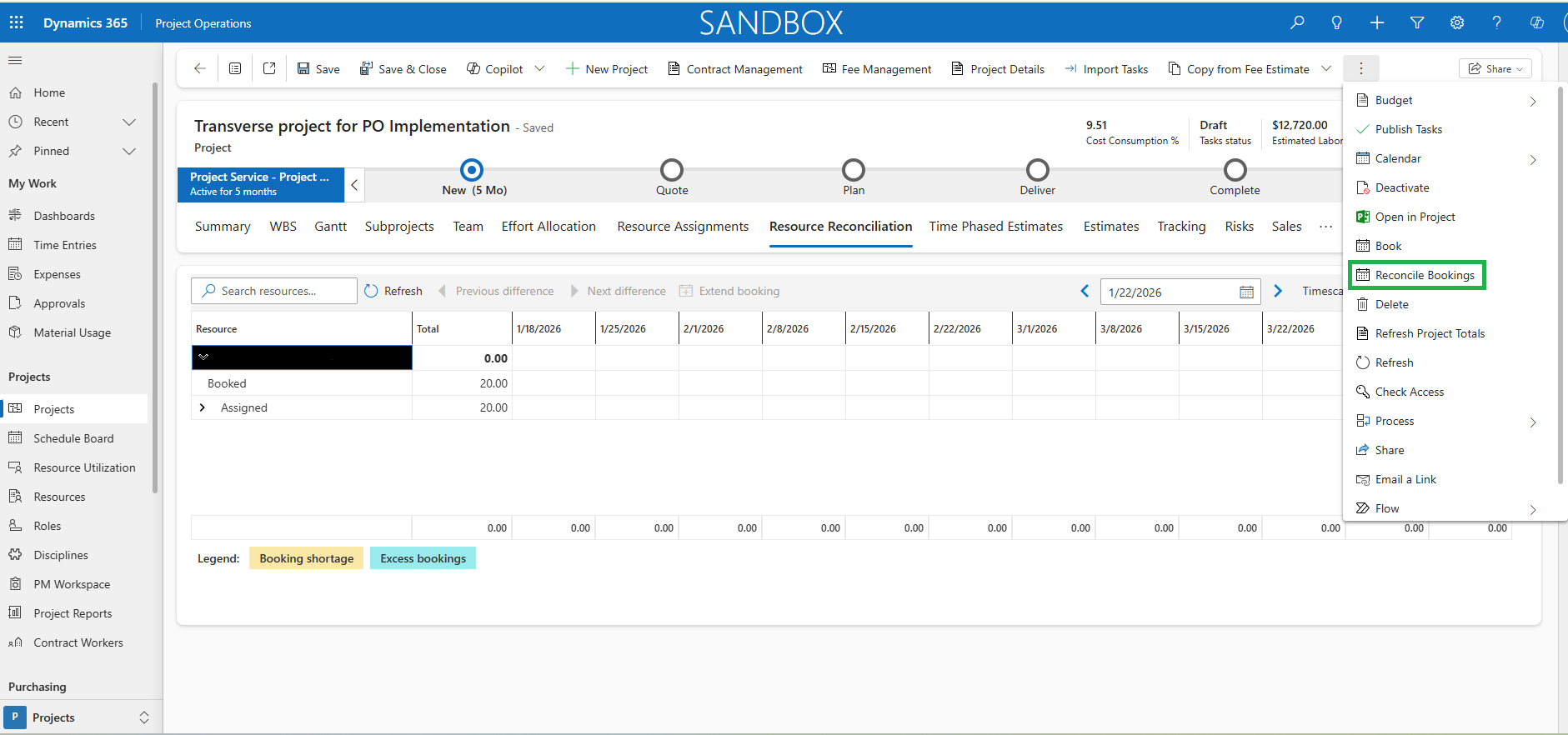
- The new ‘Reconcile Bookings’ option in the Project form lets users to re-book resource assignments on the project so that bookings match assignments.
- The process checks each resource using the reconciliation logic. If differences are found, existing bookings are canceled and re-booked according to the assignments for that resource and project.
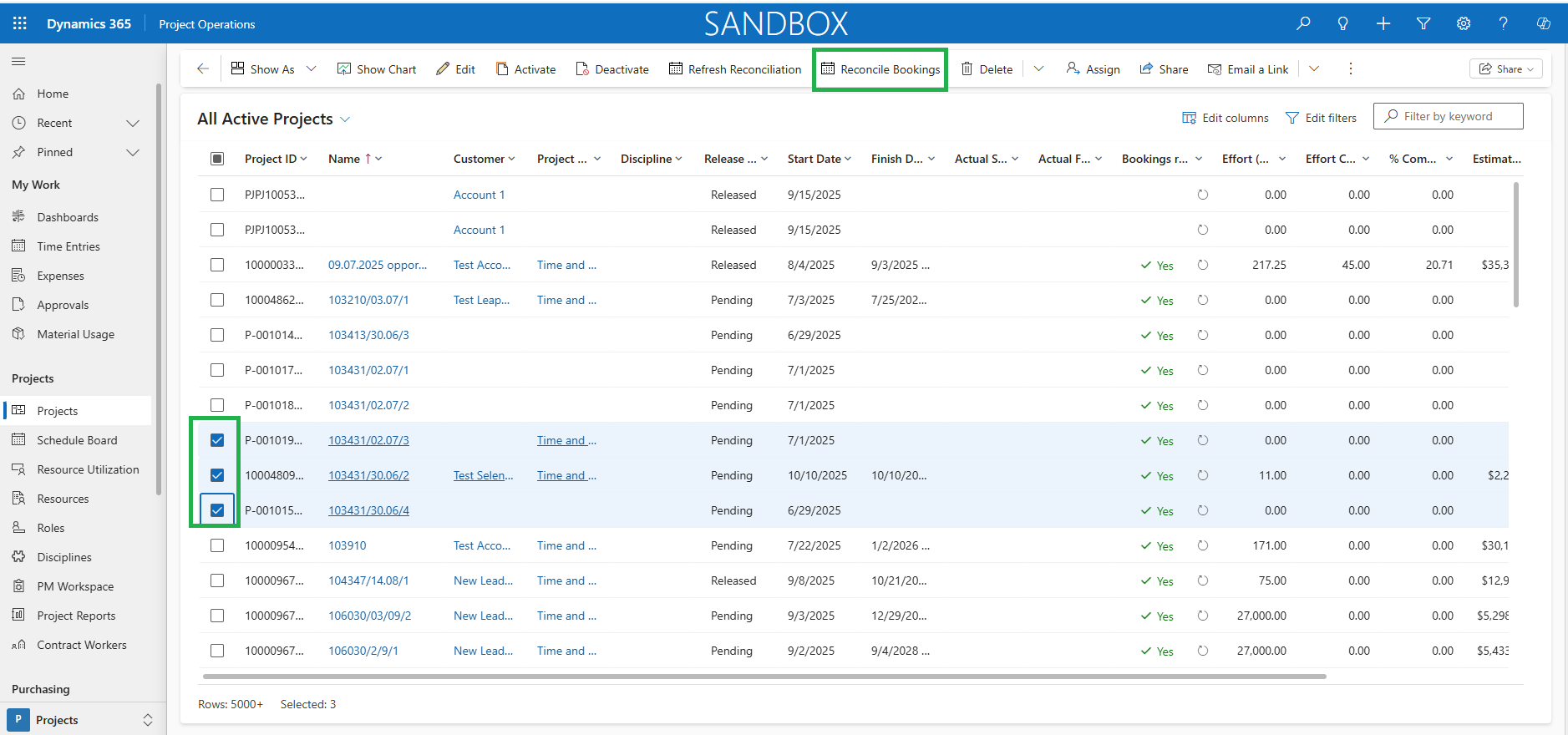
- This feature extends the reconciliation capability to the Projects overview form, making it easier to spot and fix mismatches across multiple projects at once.
- The Reconcile Bookings option will be available on Projects overview form when a project is selected.
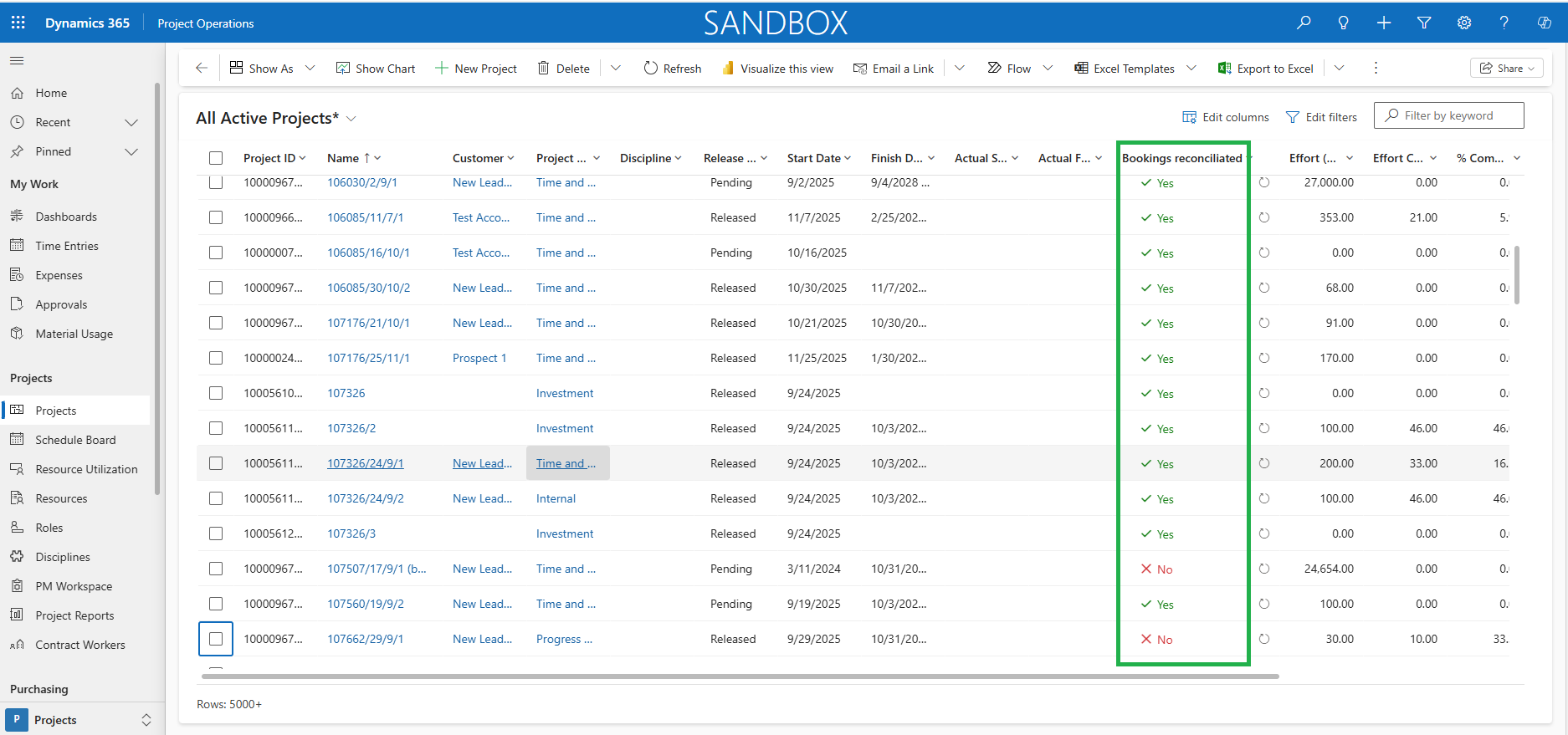
- A new column ‘Bookings Reconciliated’ on the Project overview form shows the reconciliation status of the projects.
- Whenever the Reconcile Bookings process is executed, the Reconciliation status for that project is refreshed immediately in this column.
- If the value is Yes, meaning there are no mismatches between assignments and bookings.
- If the value is No, meaning mismatches exist based on the Resource Reconciliation data.
- Users can filter projects by this column to quickly view the projects with mismatches.
- This is associated with a new periodic process which will run in the background on a schedule to update the Bookings reconciliated data automatically.
- A Refresh Reconciliation option in the toolbar lets users manually update the Reconciliation status for multiple projects at once.
- A Refresh Reconciliation icon is also available on Projects over form on each project record to manually refresh the data to see the latest Reconciliation status of the projects.