


This process expands the dual-write mapping process for the Project Manager field by incorporating two additional responsible fields: Principal and Project Accountant. These fields are automatically synchronized from Project Operations to Finance & Operations (F&O) when a project or subproject is created and synced in F&O.
- These fields appear in various forms based on the activation of Responsible Field Parameters within the Company Parameters form.
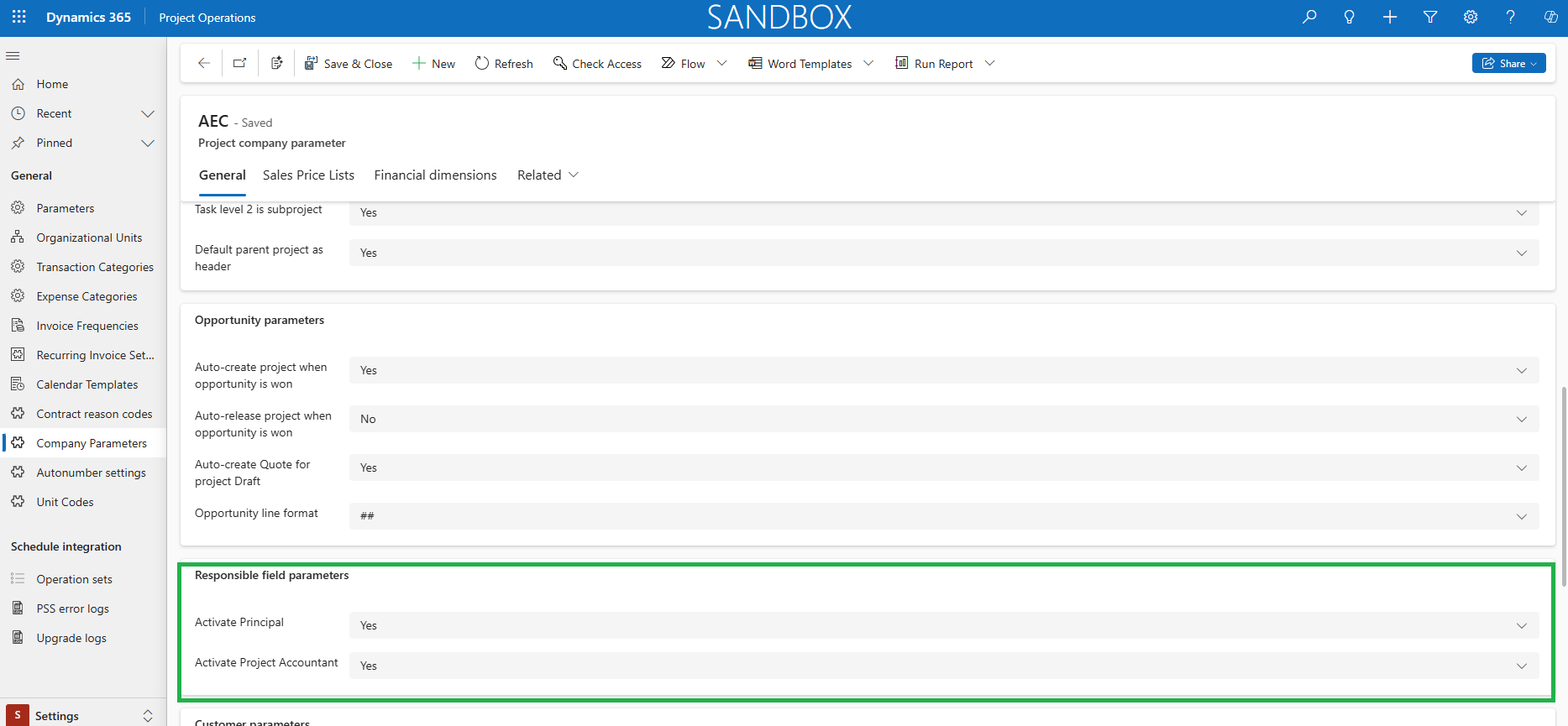
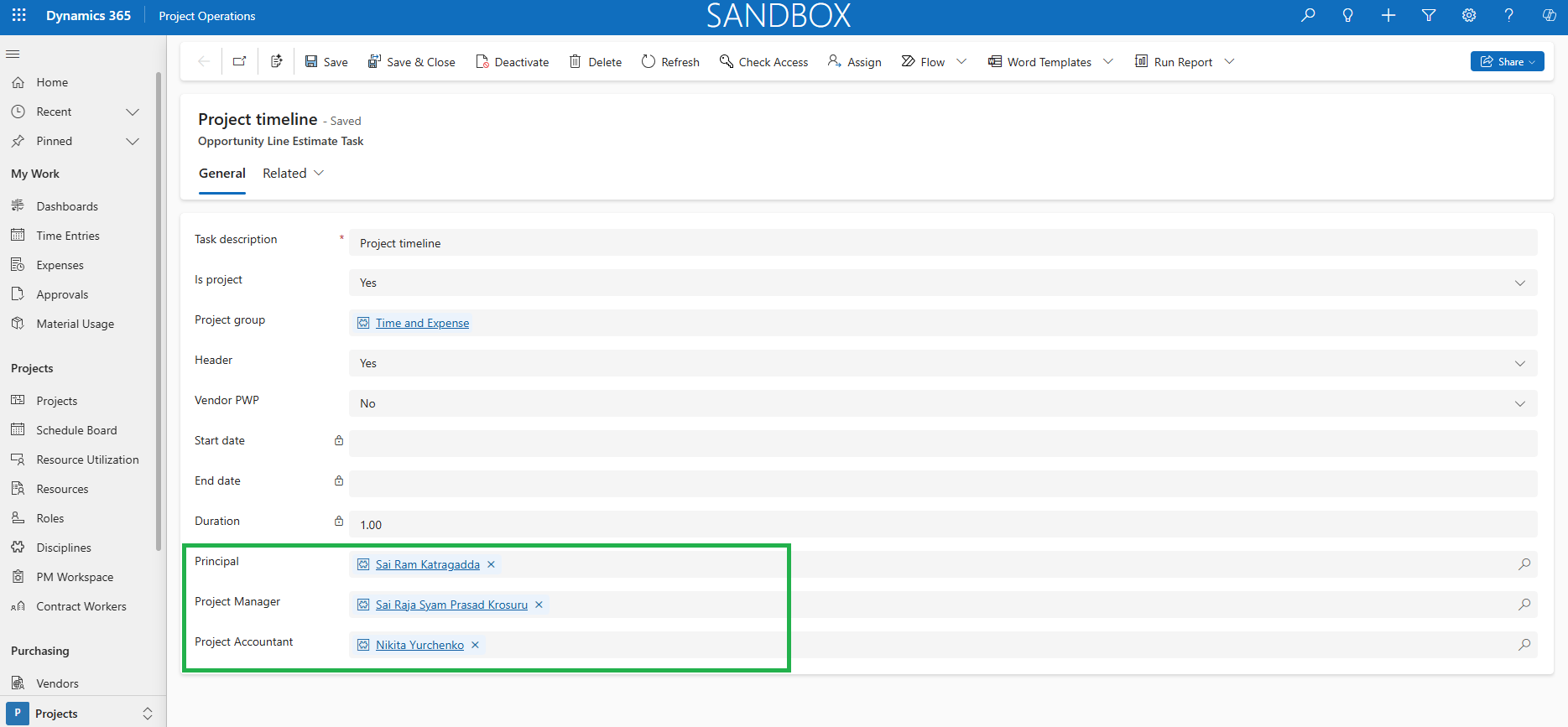
- The fields for ‘Principal’ and ‘Project Accountant’ are available on the Opportunity Line, Opportunity Line Estimate Tasks, Project, and Project Tasks forms.
- In the Opportunity Line Estimate Tasks form, users can either manually select the Principal and Project Accountant for each task or, if these values are already defined on the Opportunity Line, they will automatically sync to each task.
- The same behavior applies to Project Tasks. When a user creates project tasks manually, they can assign responsible fields individually. However, if those values are already defined in the WBS, the same responsible field values are automatically applied to each Project Task.
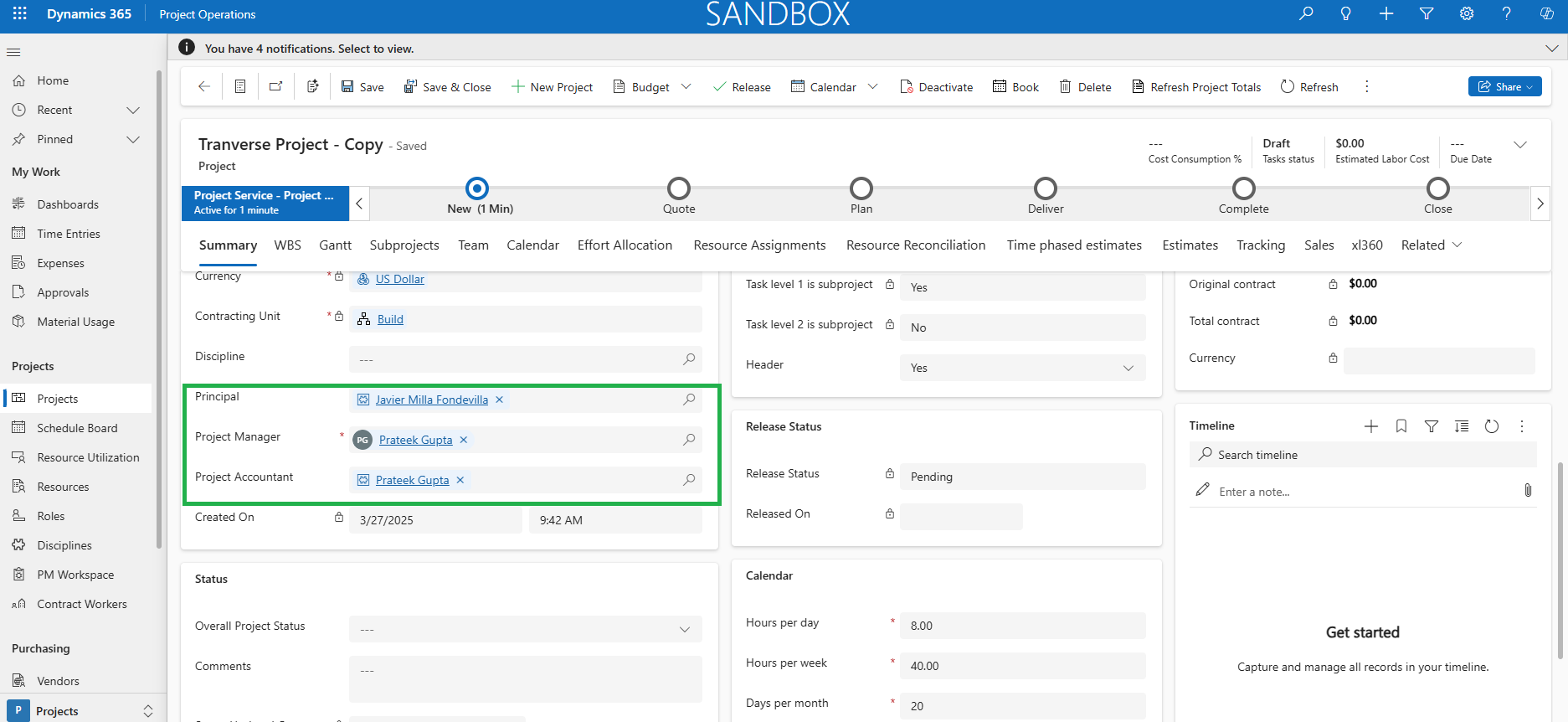
- In addition, the new responsible fields will be added to existing copy processes in Projects and Opportunity Lines.
- Copy Project : Copies responsible fields from the source project to the target project.
- Copy from Fee Estimate : Transfers responsible fields from Opportunity Line Estimate Tasks to Project Tasks.
- ‘Duplicate’ and ‘Copy from Estimate’ : Responsible fields from the source Opportunity Line Estimate Tasks are copied to the corresponding tasks in the target estimate version.
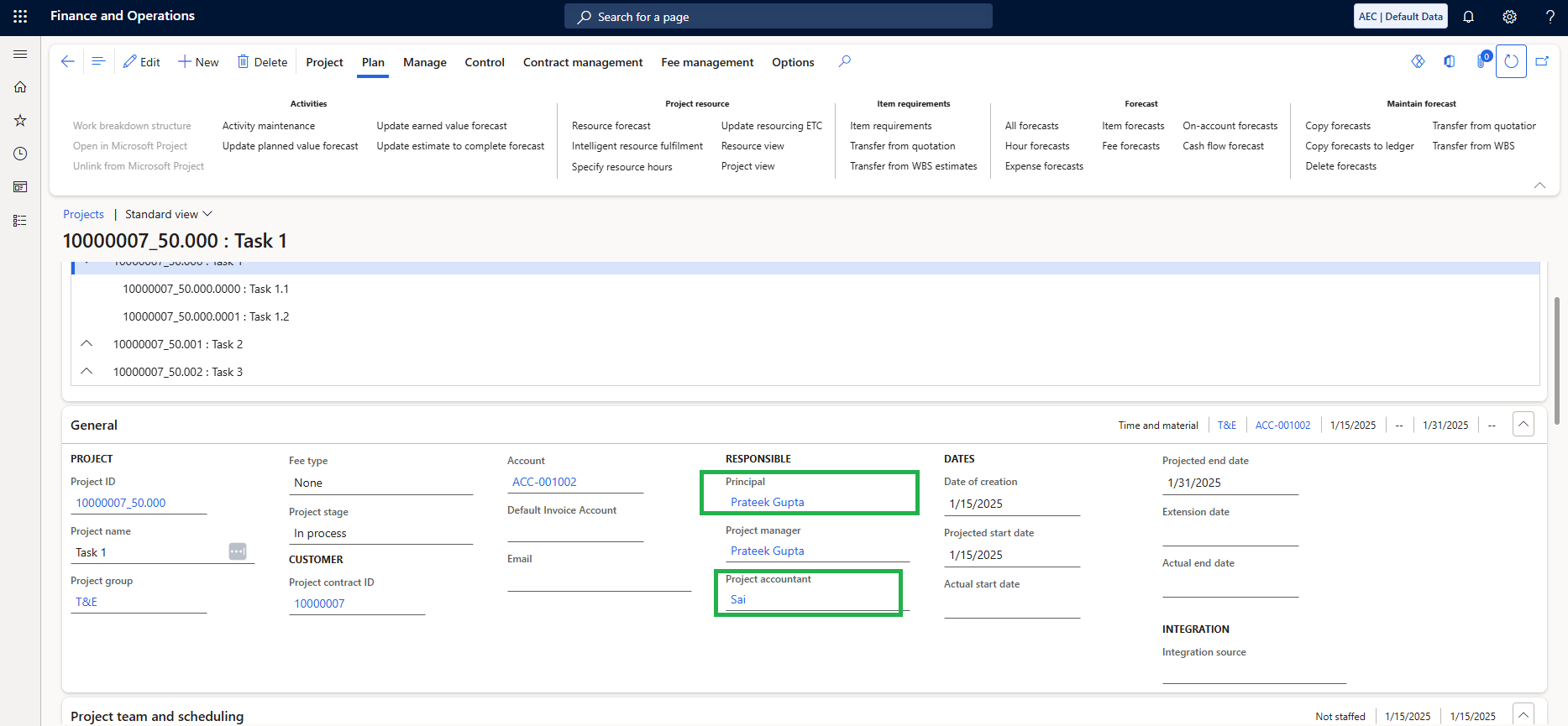
- When a project or subproject is synced from Project Operations to Finance & Operations, any updates made to the ‘Responsible’ fields of tasks under the Subprojects tab—after publishing—will directly update the corresponding ‘Responsible’ fields for those tasks in Finance & Operations.
Responsible fields at Opportunity header
Responsible fields, which were previously only available at the Opportunity lines and projects are now allowed to be configured and displayed at the Opportunity header when needed. When the Responsible fields are specified at the Opportunity header but left blank at the Opportunity line, the system automatically carries those values forward to the project. This behavior ensures and eliminates the need for manual updates, streamlining the process and reducing effort for users.
Configuration
The section highlighted below are the mandatory setups that needs to be configured by System Admin to use the Responsible fields at Opportunity header. This feature can be enabled from the Parameters.
Go to Settings -> General -> Company Parameters -> Project company parameter -> General -> Responsible field parameters -> Enable at Opportunity Header
Details of the fields required for Responsible fields at Opportunity header are as follows:
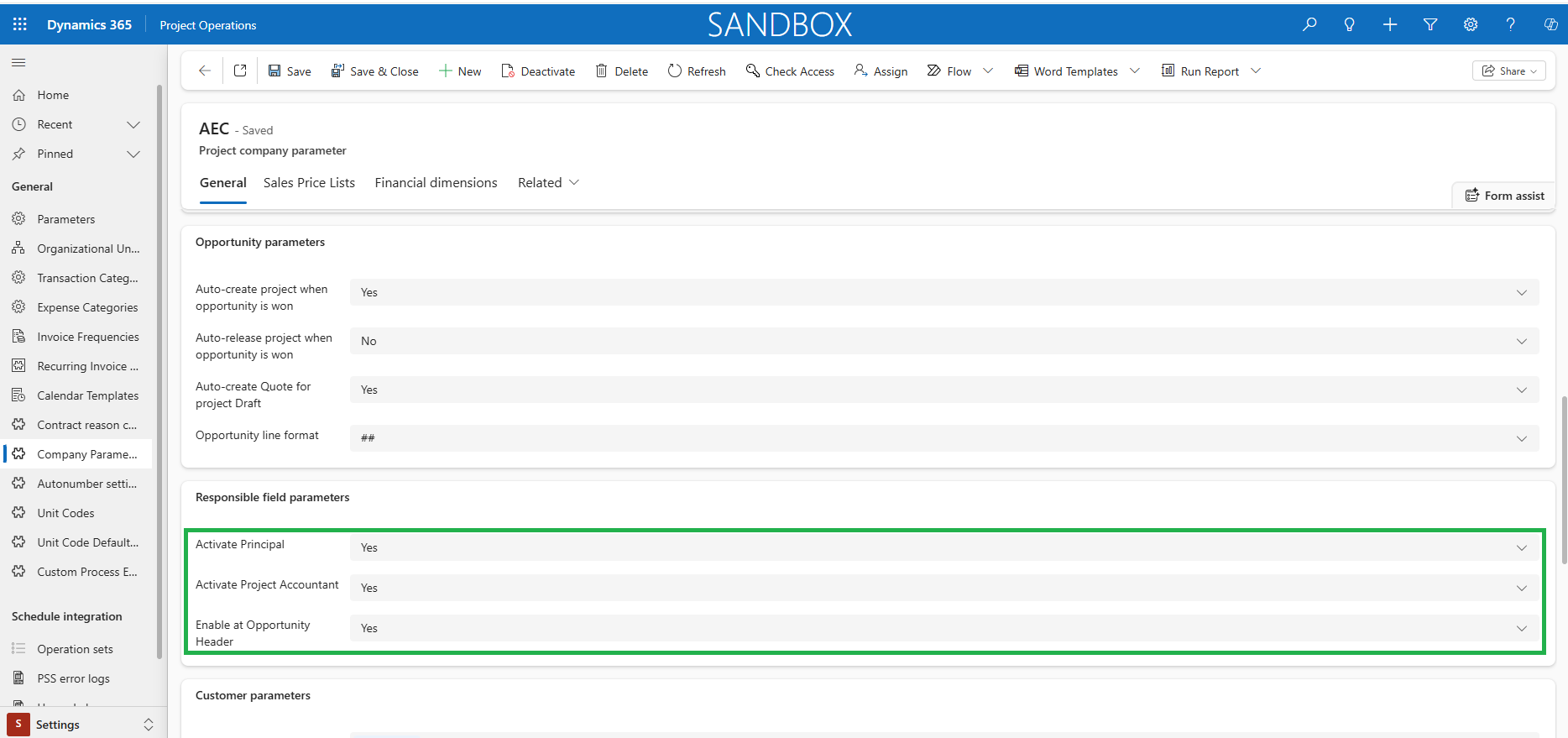
| Fields | Description |
| Activate Principal | Set as ‘Yes’ if the responsible field ‘Principal’ to be available on Opportunity lines and projects |
| Activate Project Accountant | Set as ‘Yes’ if the responsible field ‘Project Accountant’ to be available on Opportunity lines and projects |
| Enable at Opportunity Header | Set as ‘Yes’ if the responsible fields ‘Principal’ & ‘Project Accountant’ to be available on Opportunity header |
 |
Note – Only the Responsible fields which are marked as ‘Yes’ will be available on Opportunity header. |