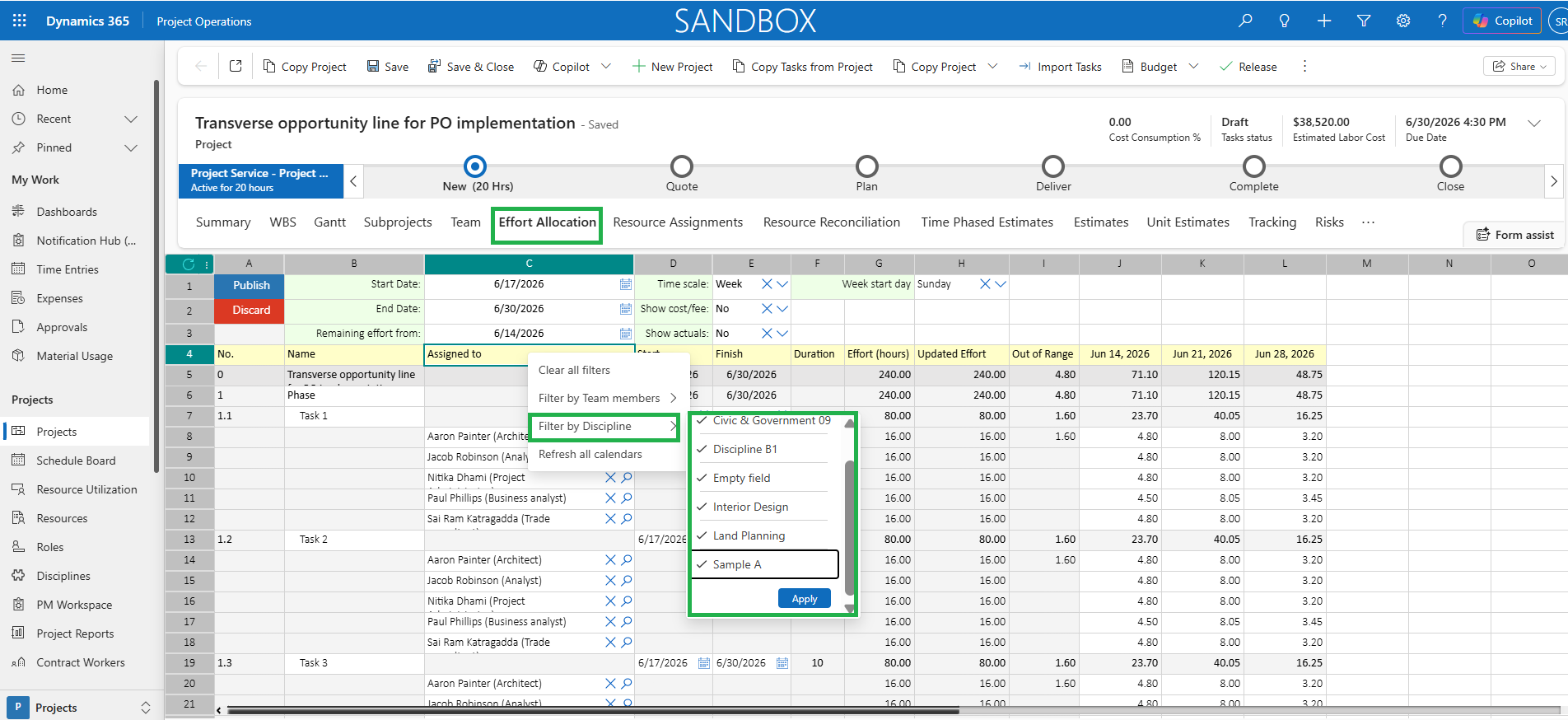
projects360 proOps 10.0.48 for Project Operations introduces a set of new features such as such as ‘New Fee Estimate copy process on MS Planner projects (Preview)’, ‘Notification framework (Preview)’ & ‘Application Insights Monitoring and Dashboard’. This release also includes enhancements to existing features such as ‘Display Only Active Roles in Fee Estimator and WBS’, ‘Enhanced Estimate Copy Option for Responsible fields’, ‘Enhanced Pricing Using Estimate Version Date’, ‘Unit Fee in Print estimate document’, ‘Restrict Unit Estimates on sub projects or tasks marked as header’, ‘Multiplier and Percent Complete Metrics on Project Summary’, and ‘Filter resources by Discipline in Effort Allocation’.
New Features
New Fee Estimate copy process on MS Planner projects (Preview)
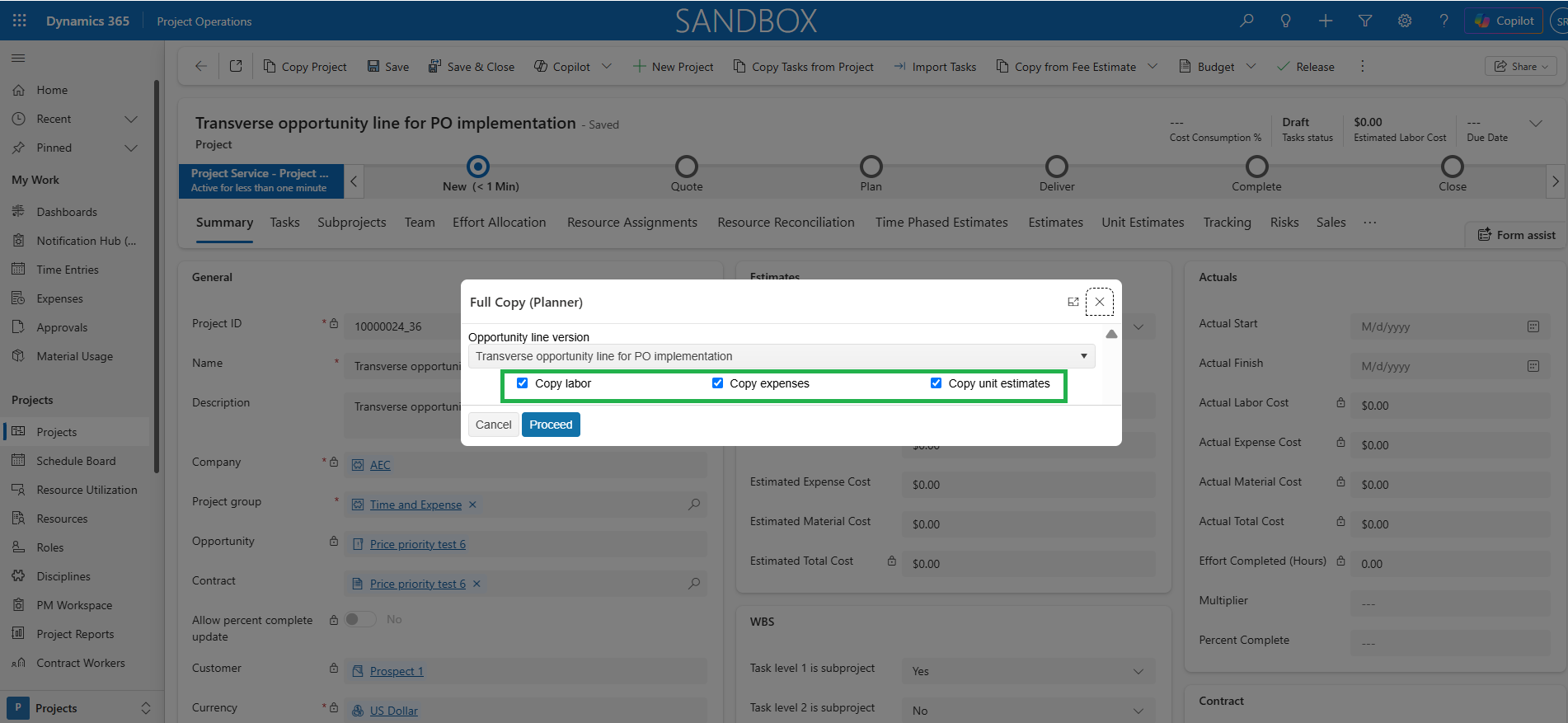
This feature lets users copy fee estimator versions to the MS Planner projects much faster.
- This change cuts down the time needed to copy fee estimator data to the project compared to the old process.
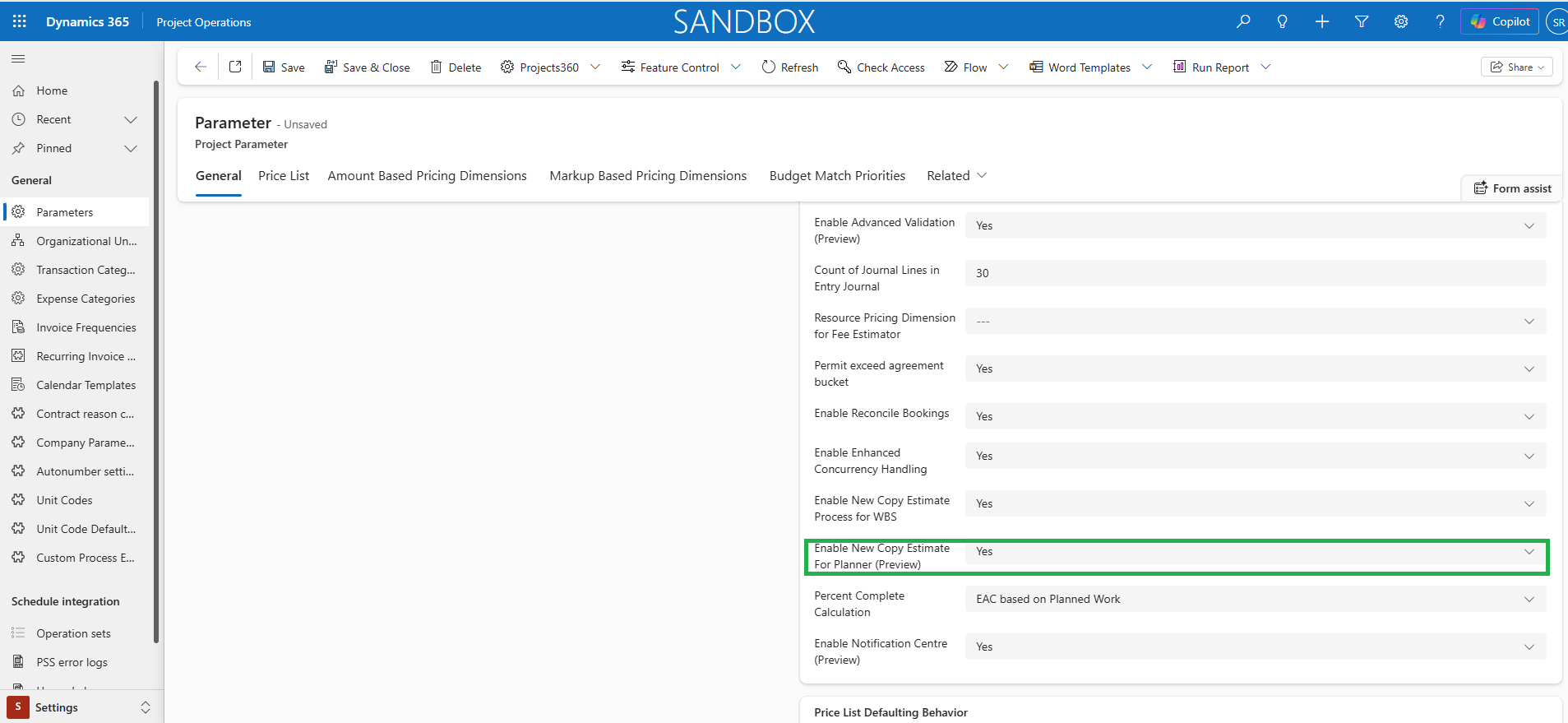
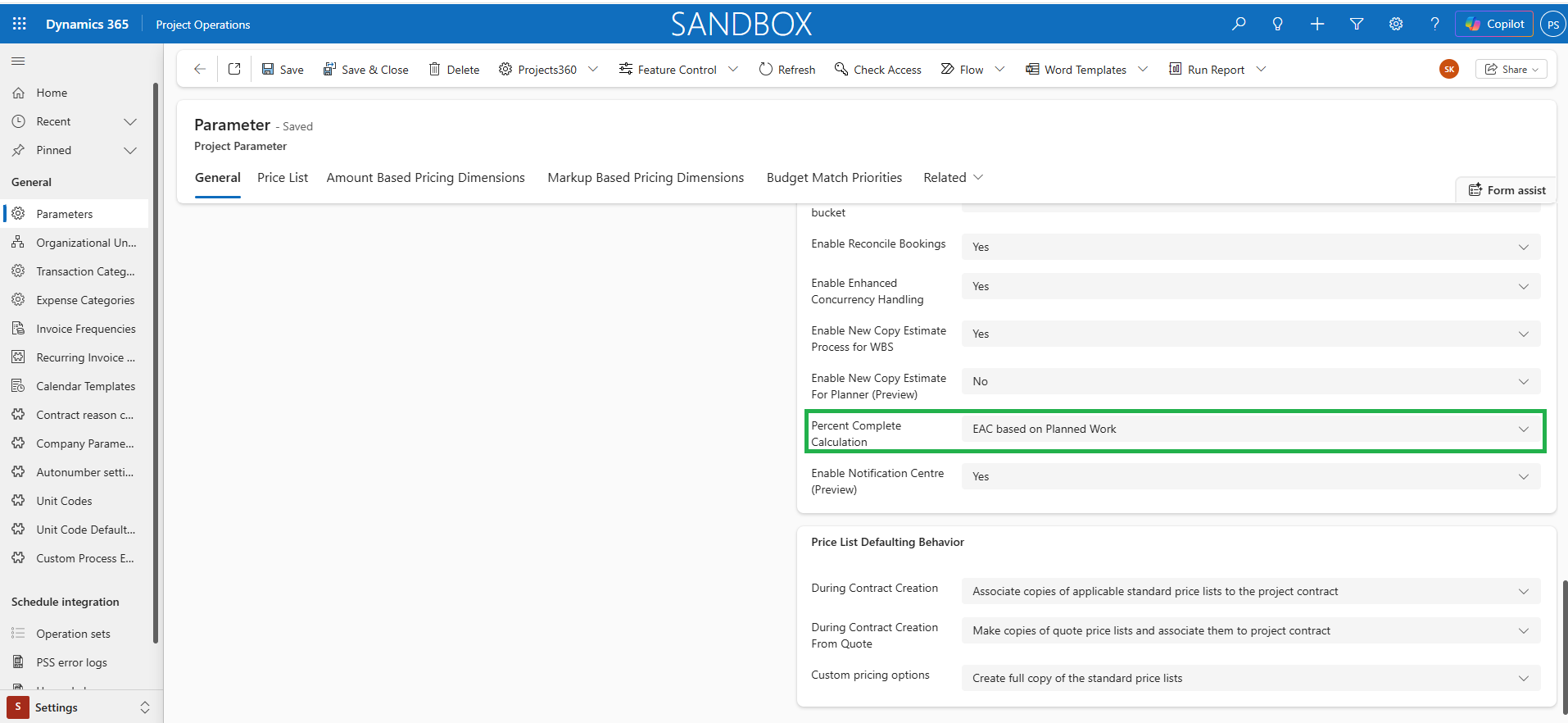
- The new copy option is available on the existing ‘Copy from Fee Estimate’ button on the project when the ‘Enable New Copy Estimate For Planner (Preview)’ parameter is set to ‘Yes’.
- Three new options are available to select labor items, expense items & unit estimates in both full copy and advanced copy functionalities in this feature.
Notification framework (Preview)
This feature empowers users to efficiently create, manage, and track Tasks, Alerts, and Actions, providing real-time visibility into updates, progress, and key activities to support informed decision-making and timely follow-ups.
- The framework includes a Notification Center UI, where users can view existing notifications and create new notifications.
- Notifications can be viewed across multiple contexts, including Project, Subject, Assigned to Me, and Contract.
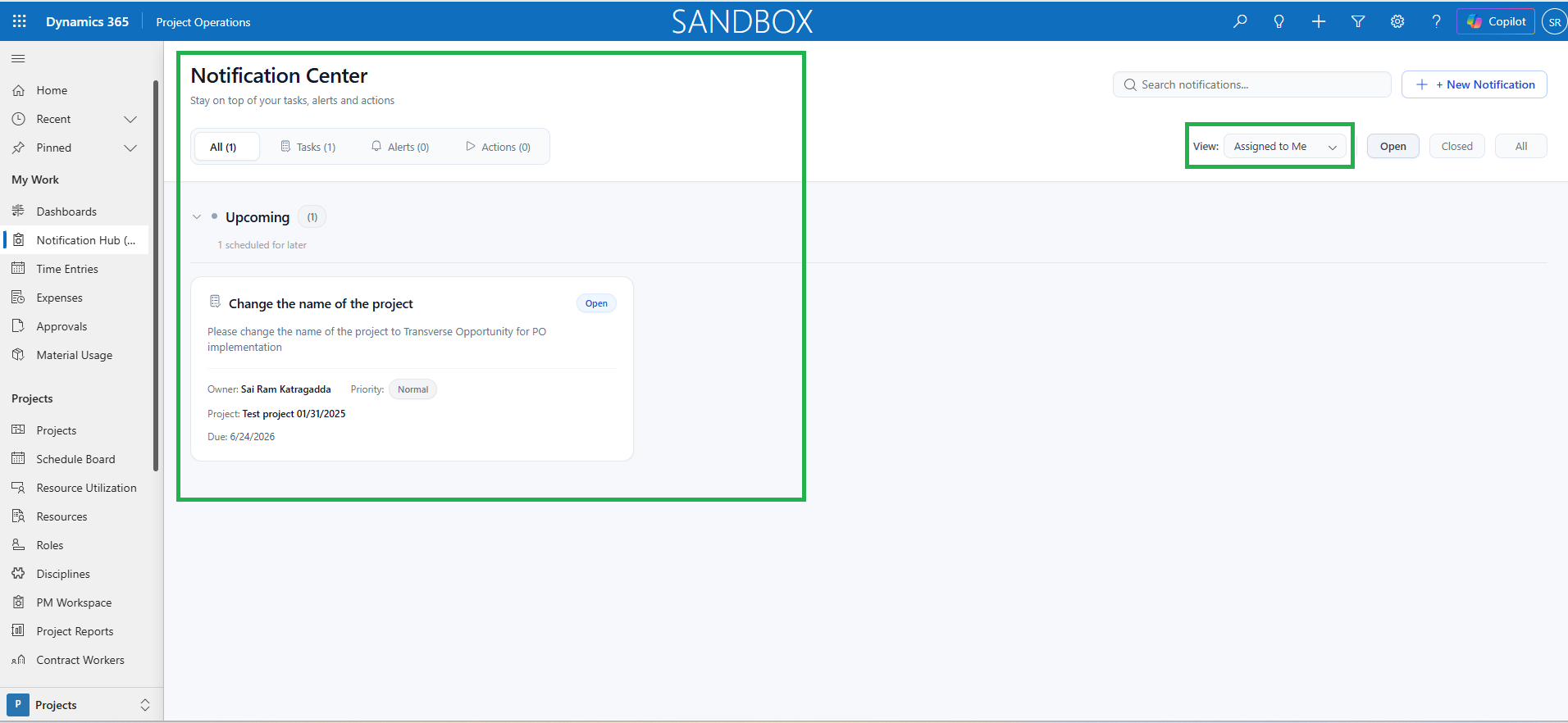
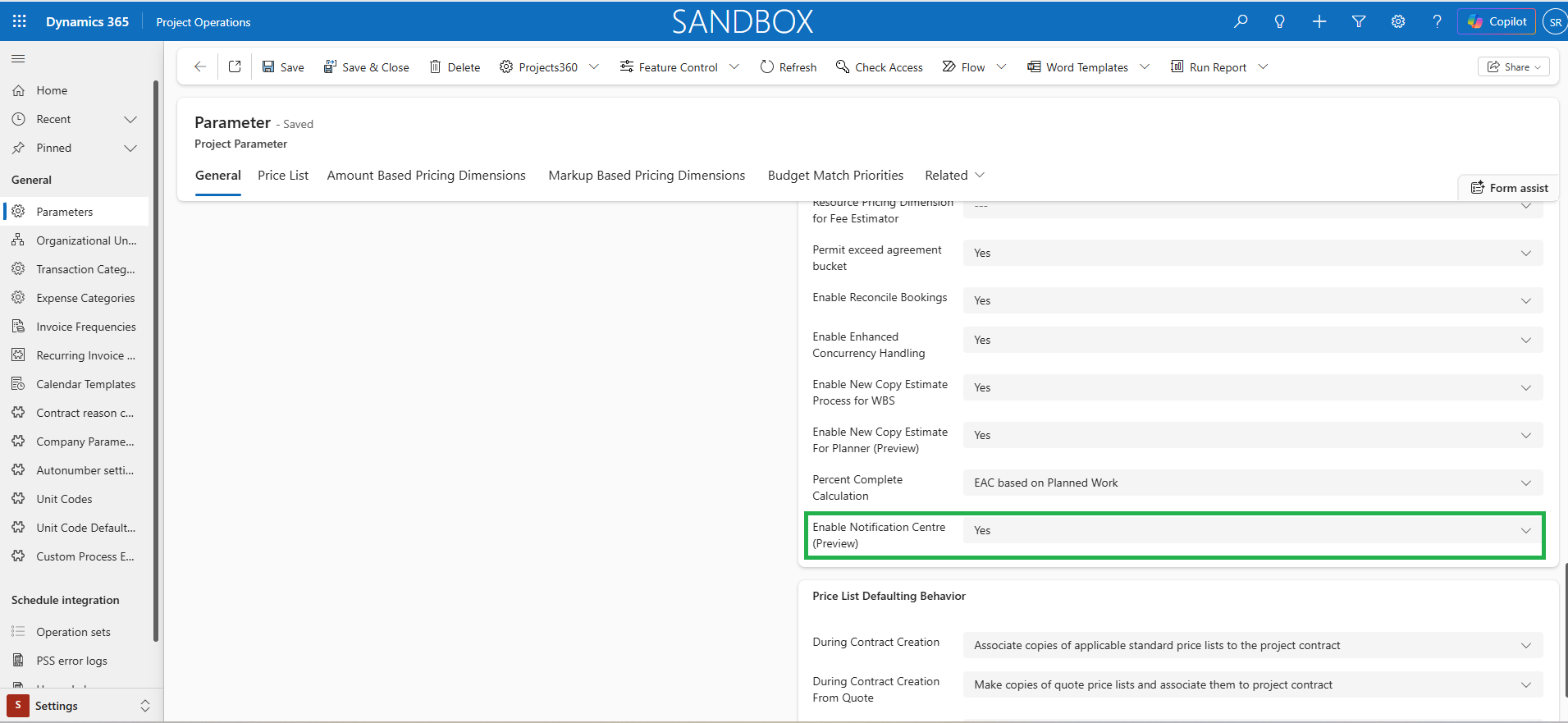
- The Notification Center feature can be enabled by setting the Enable Notification Centre (Preview) parameter to Yes.
Application Insights Monitoring and Dashboard
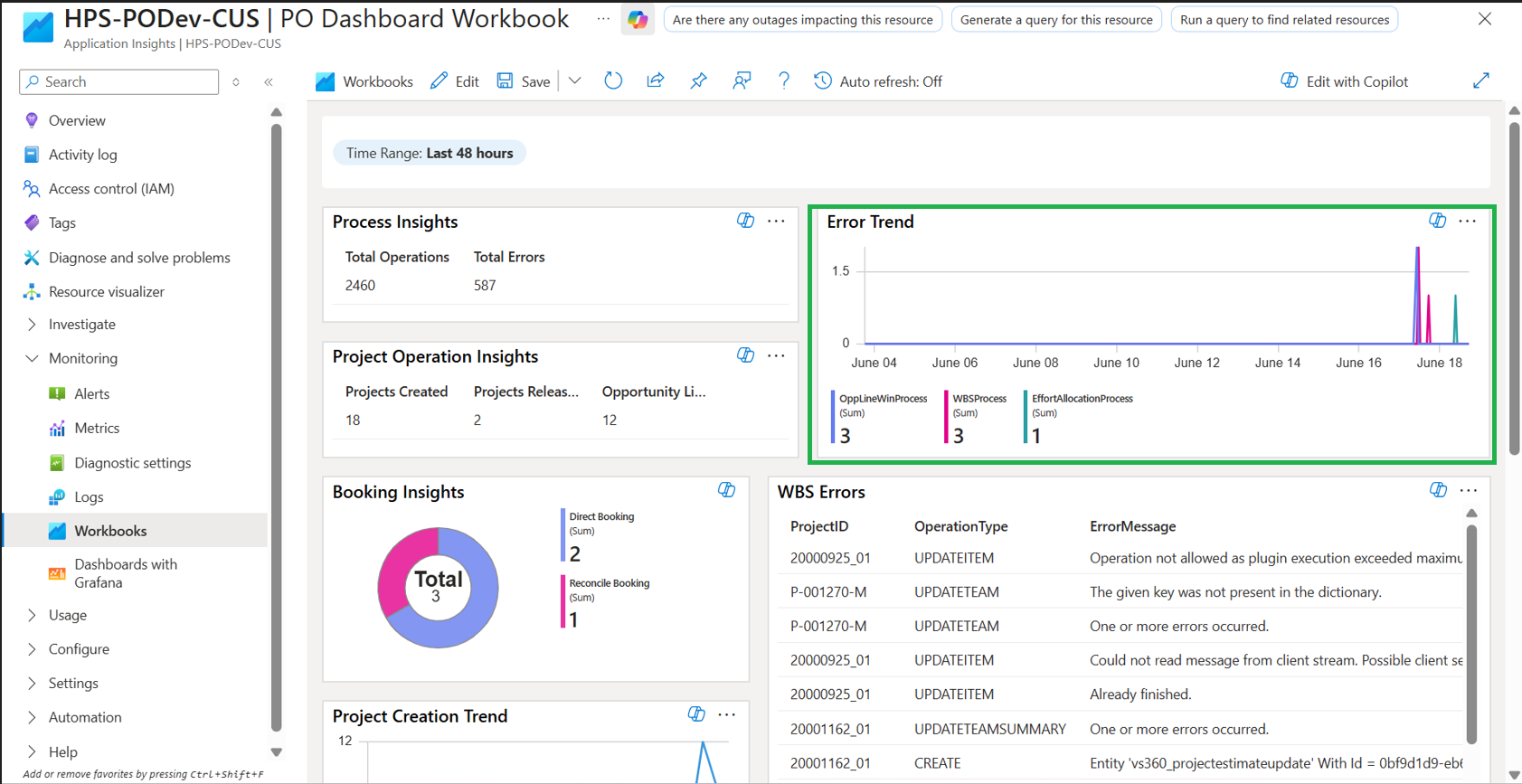
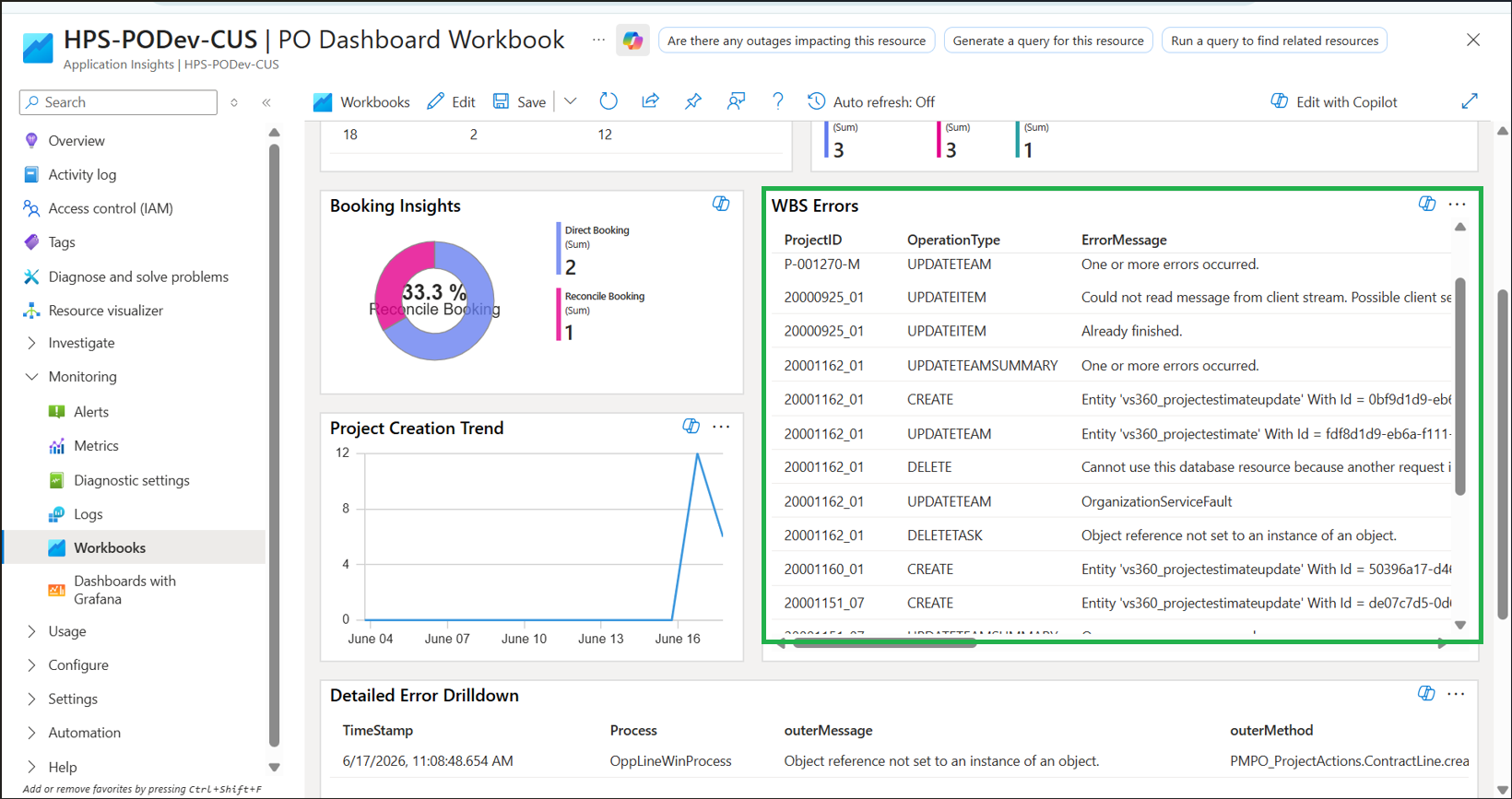
This feature helps to monitor key business processes such as WBS, Reconcile bookings, Hard bookings, Opportunity Won, and other related processes to improve visibility across Project Operations.
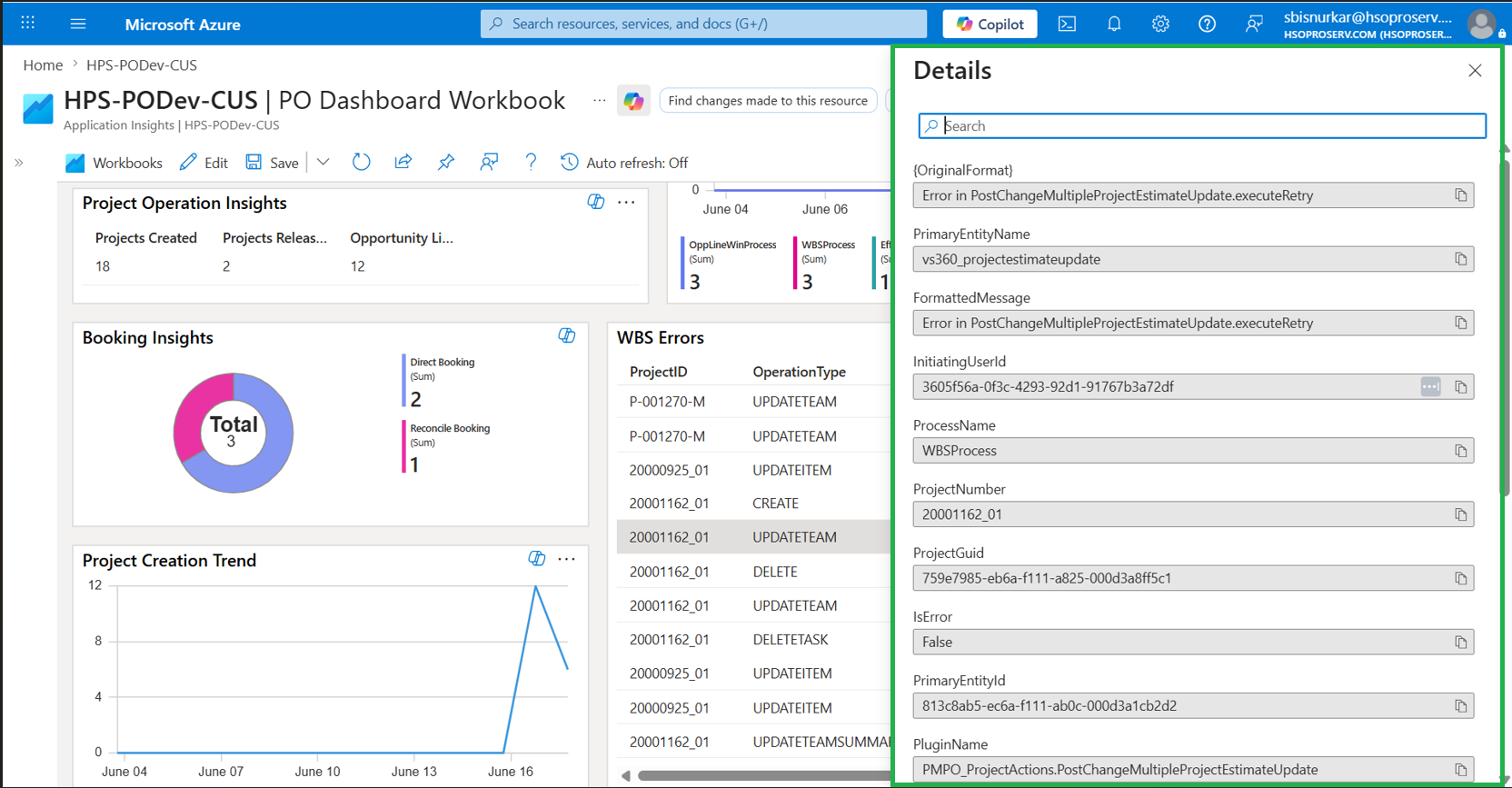
- Using Application Insights, we can track errors, traces, and execution details for these processes along with the trends.
- This improves operational monitoring, accelerates troubleshooting, and helps teams proactively identify and resolve issues.
- The new Application Insights workbook is also available to provide a consolidated view of system activity and errors.
Features Enhanced
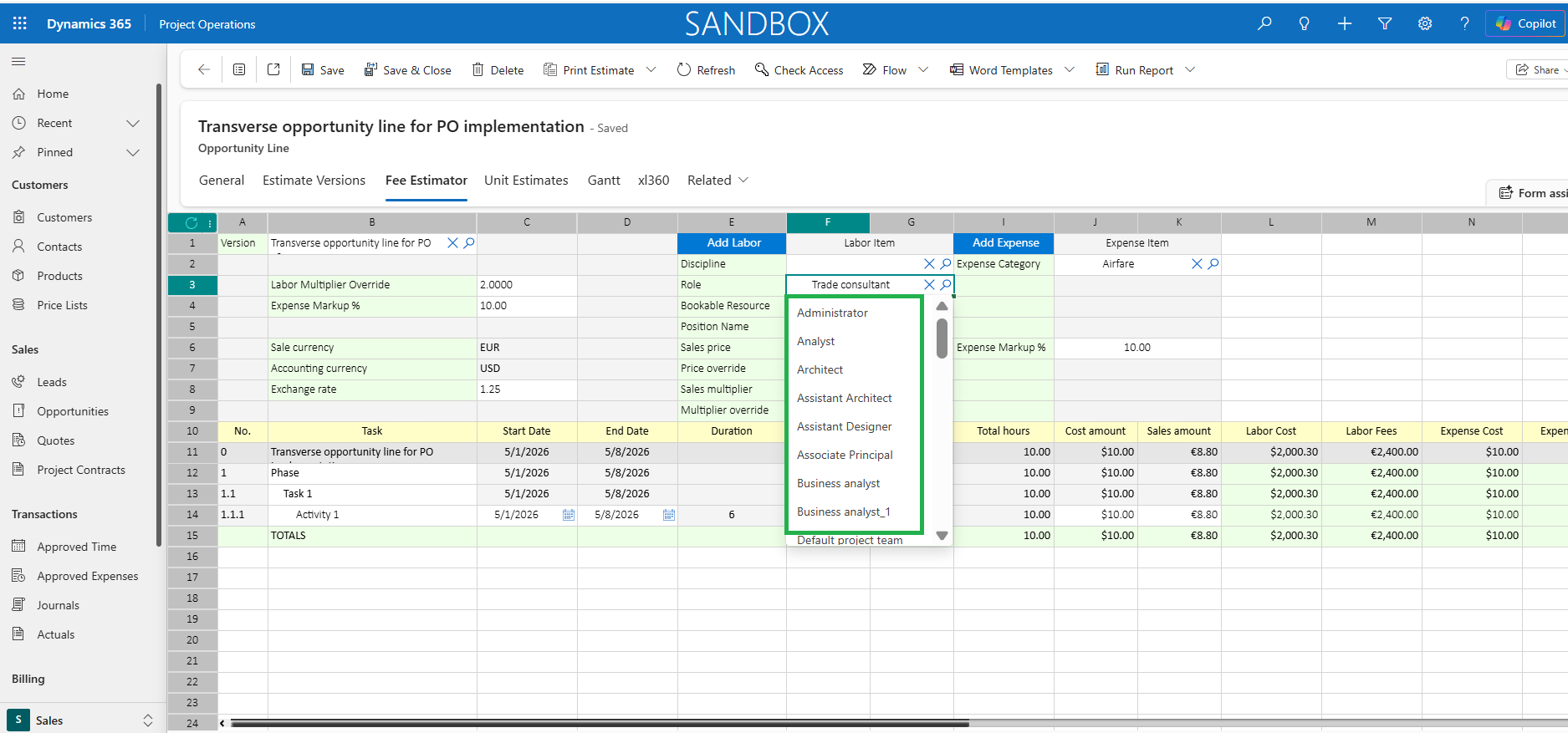
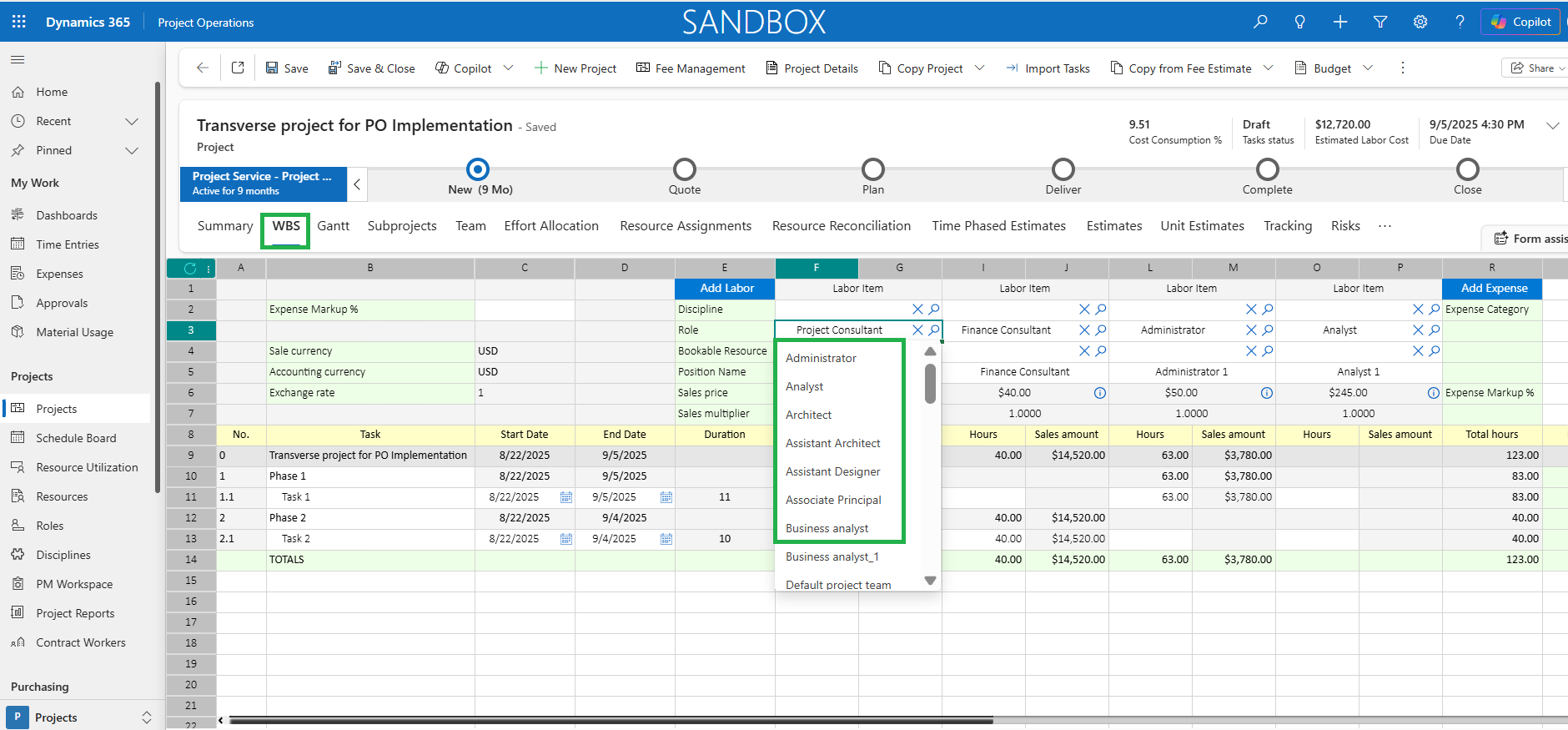
Display Only Active Roles in Fee Estimator and WBS
This enhancement ensures that only active roles are shown in the dropdown list for Labor Items in the Fee Estimator and WBS.
- Roles marked as inactive will be excluded from the dropdown list. This helps users select only active roles when working in the Fee Estimator and WBS.
Enhanced Estimate Copy Option for Responsible fields
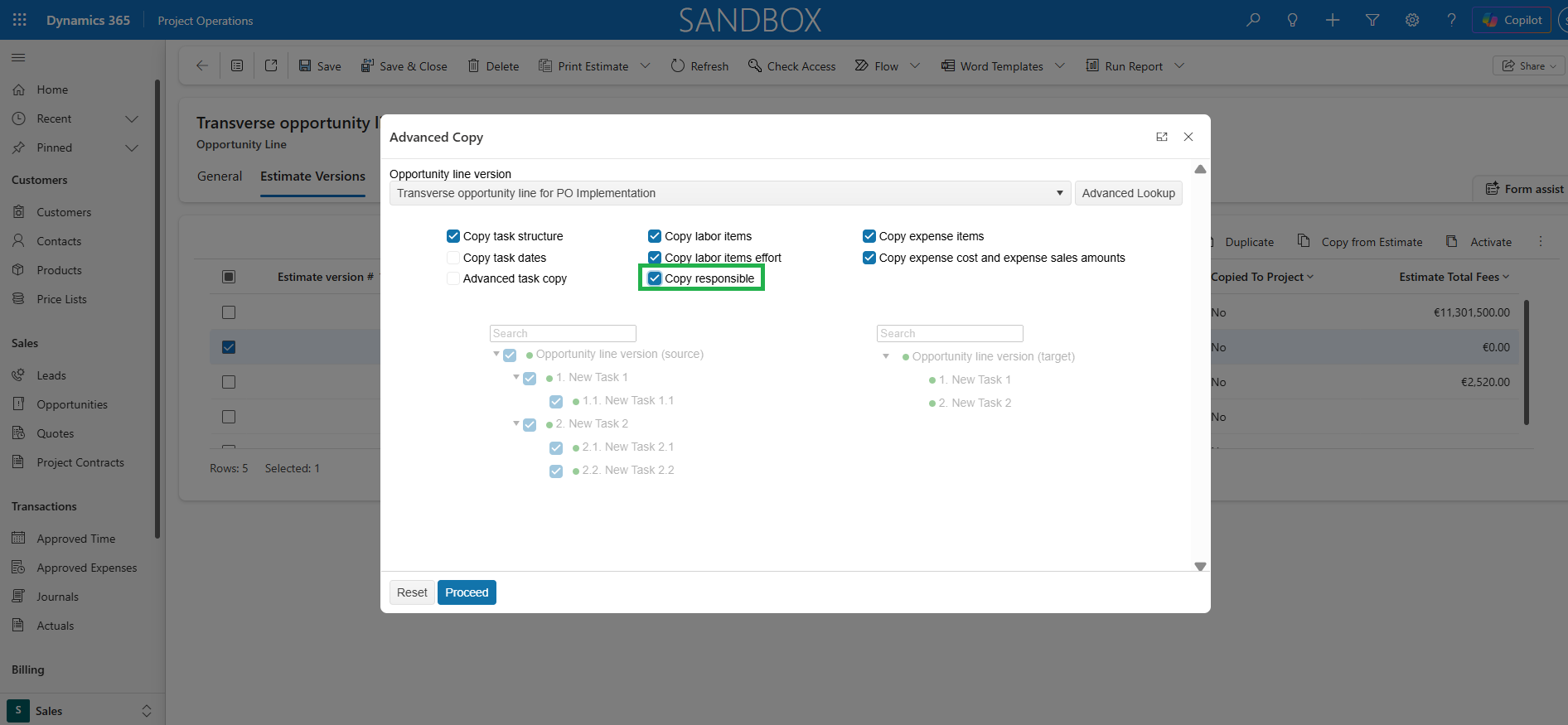
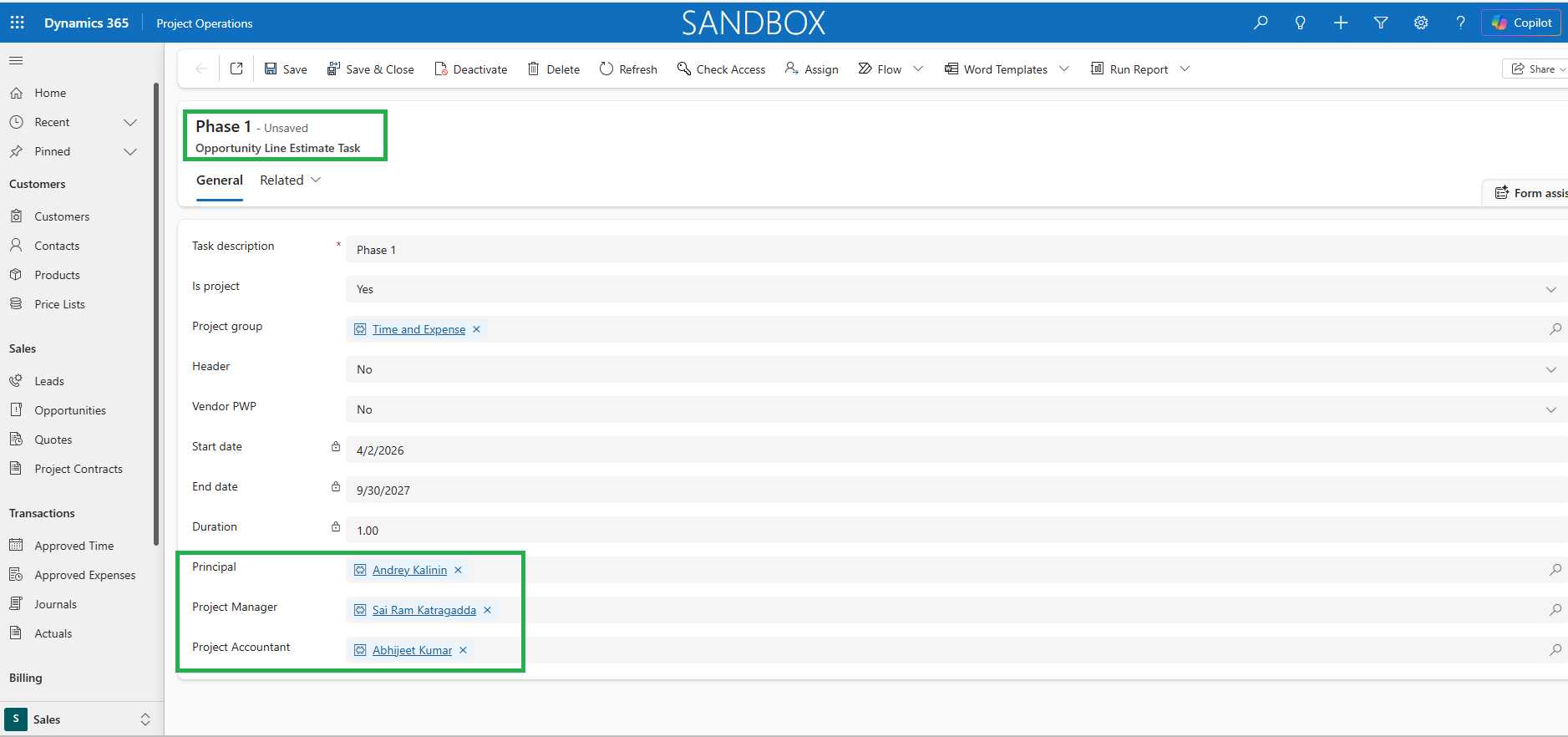
This enhancement gives users control over whether responsible fields are copied during the estimate version copy process.
- When enabled, the Project Manager, Principal, and Project Accountant fields are copied to the tasks in new estimate version.
- When disabled, these fields are not copied to the estimate version, providing greater flexibility when creating estimate copies.
Enhanced Pricing Using Estimate Version Date
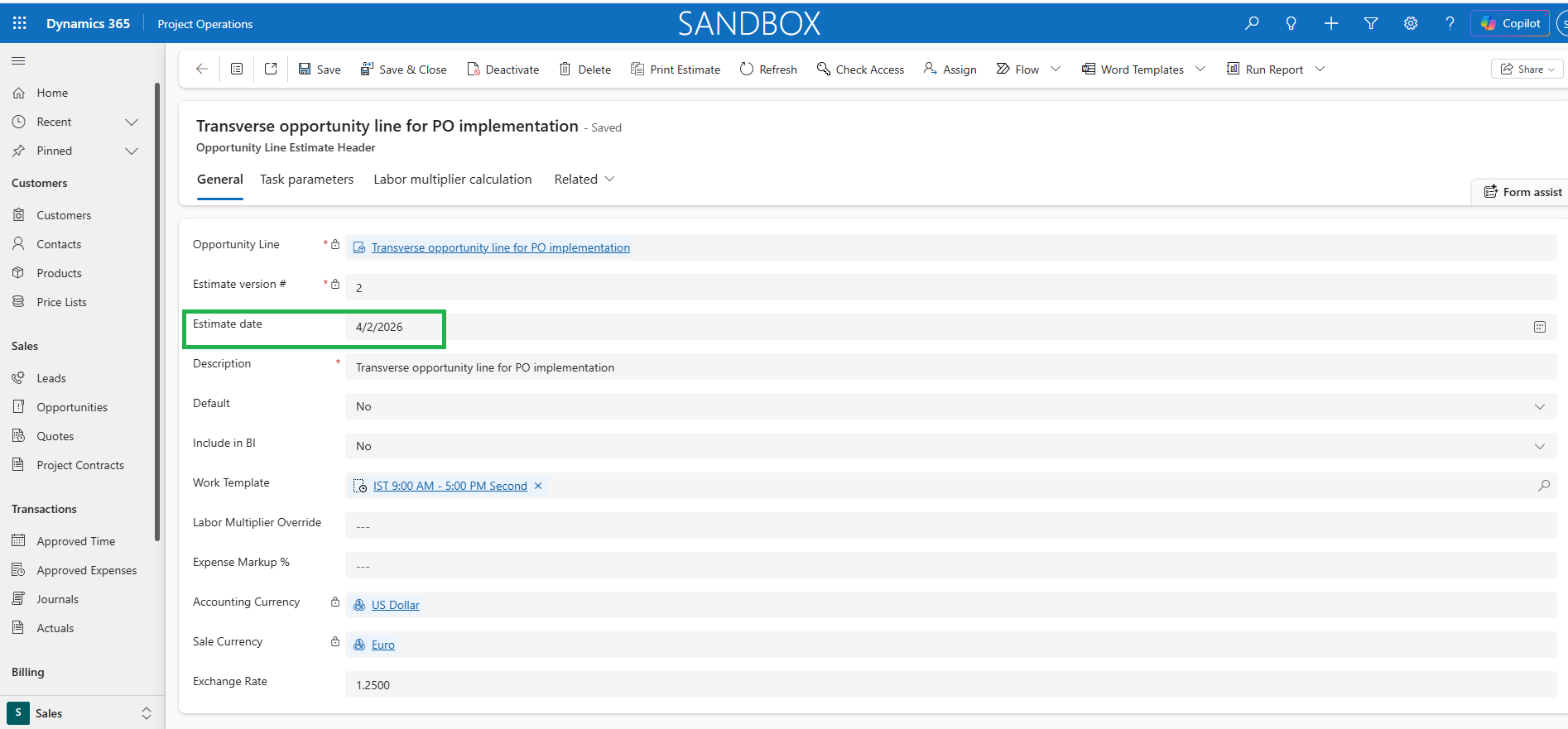
This enhancement on Opportunity lines allows the overridden labor cost and sales prices in Fee Estimator price lists to be locked based on the estimate date of the estimate version.
- The cost and sales amounts are calculated using the pricing rates that are effective on the selected estimate version date, providing more accurate and predictable estimates.
- If the estimate date is not specified, the system automatically uses the current date for pricing calculations.
Unit Fee in Print estimate document
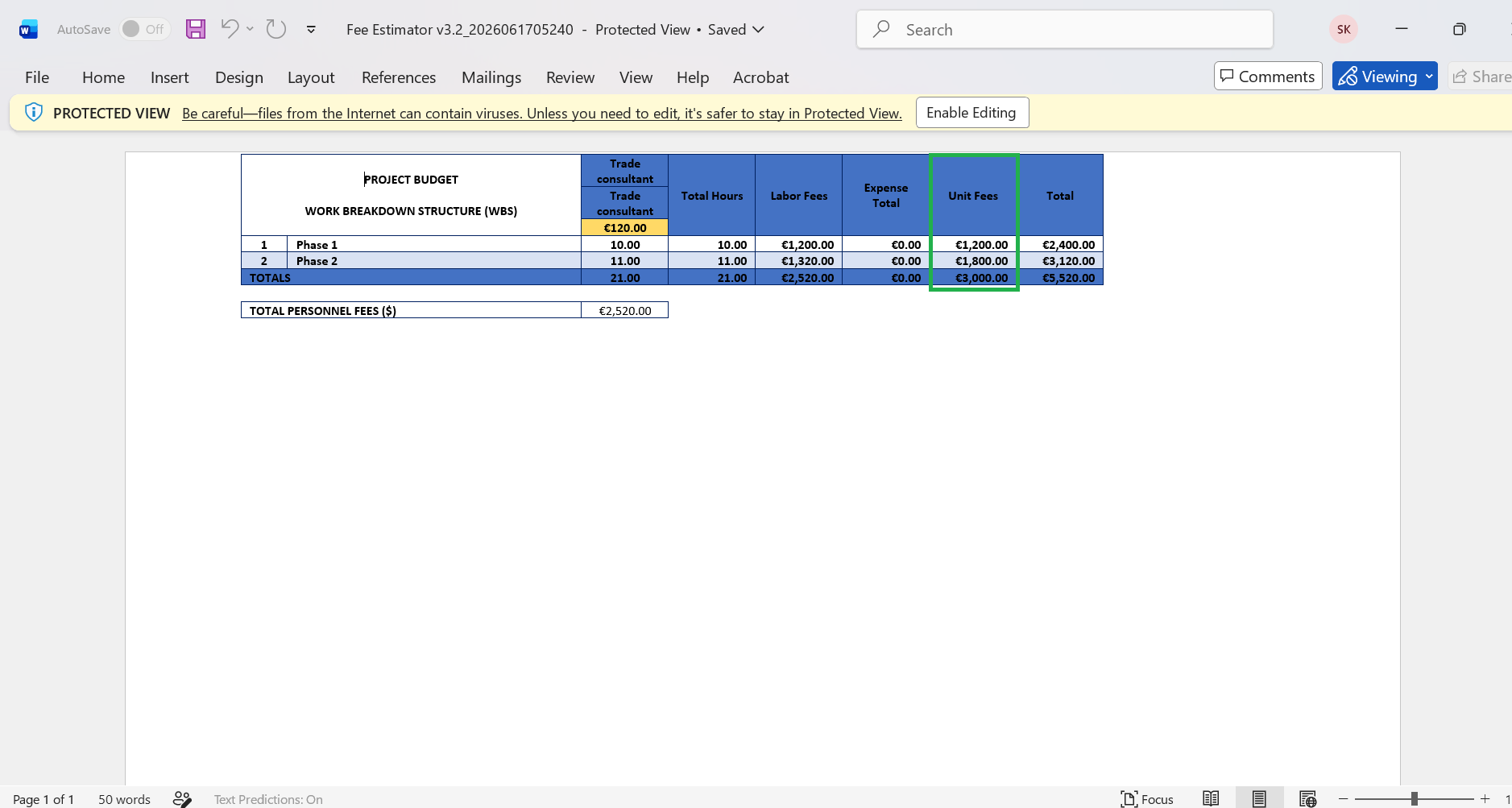
Unit fees for tasks are now included in the Print Estimate document for Fee Estimator estimate versions. This enhancement provides greater visibility into task-level pricing by displaying unit fee information directly in the printed estimate output, helping users review and share more detailed and comprehensive estimates.
Restrict Unit Estimates on sub projects or tasks marked as header
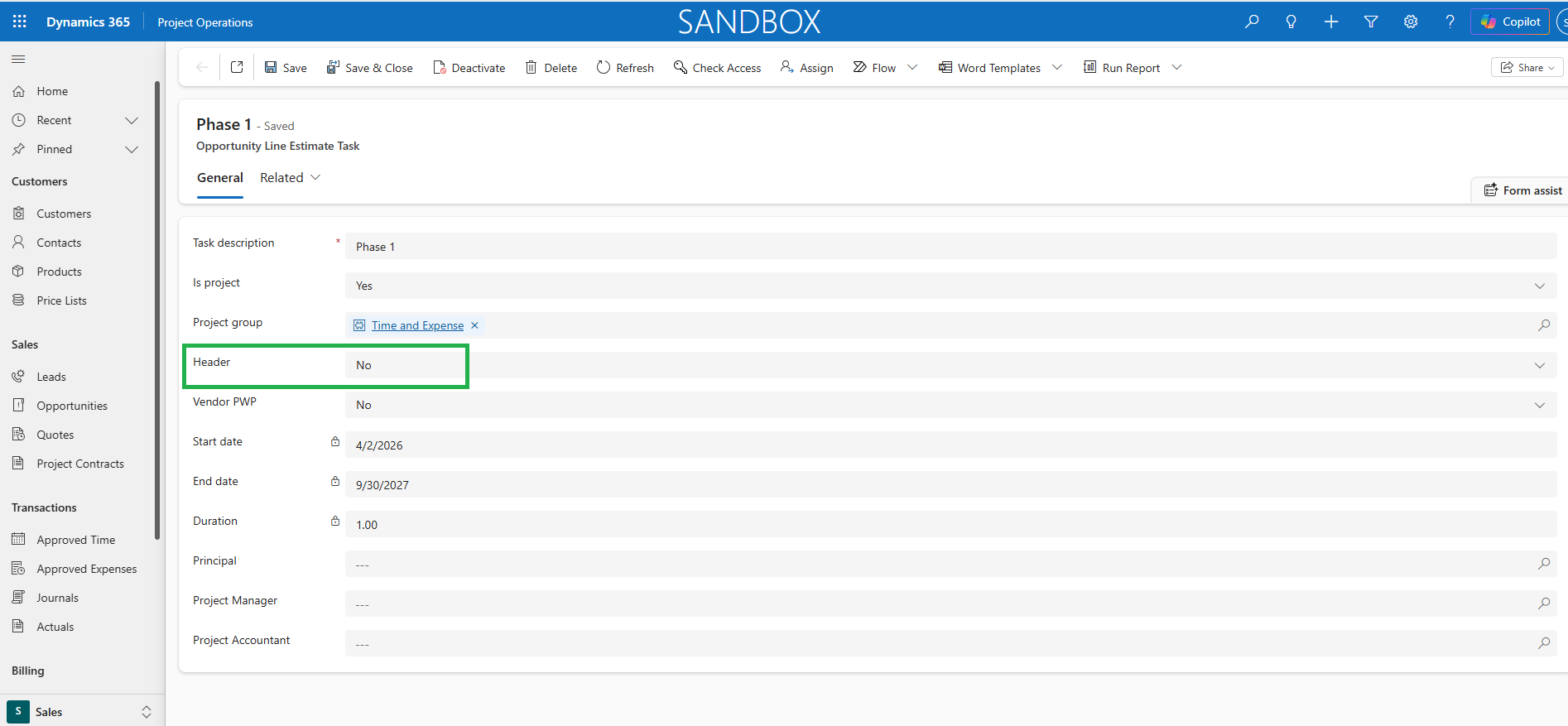
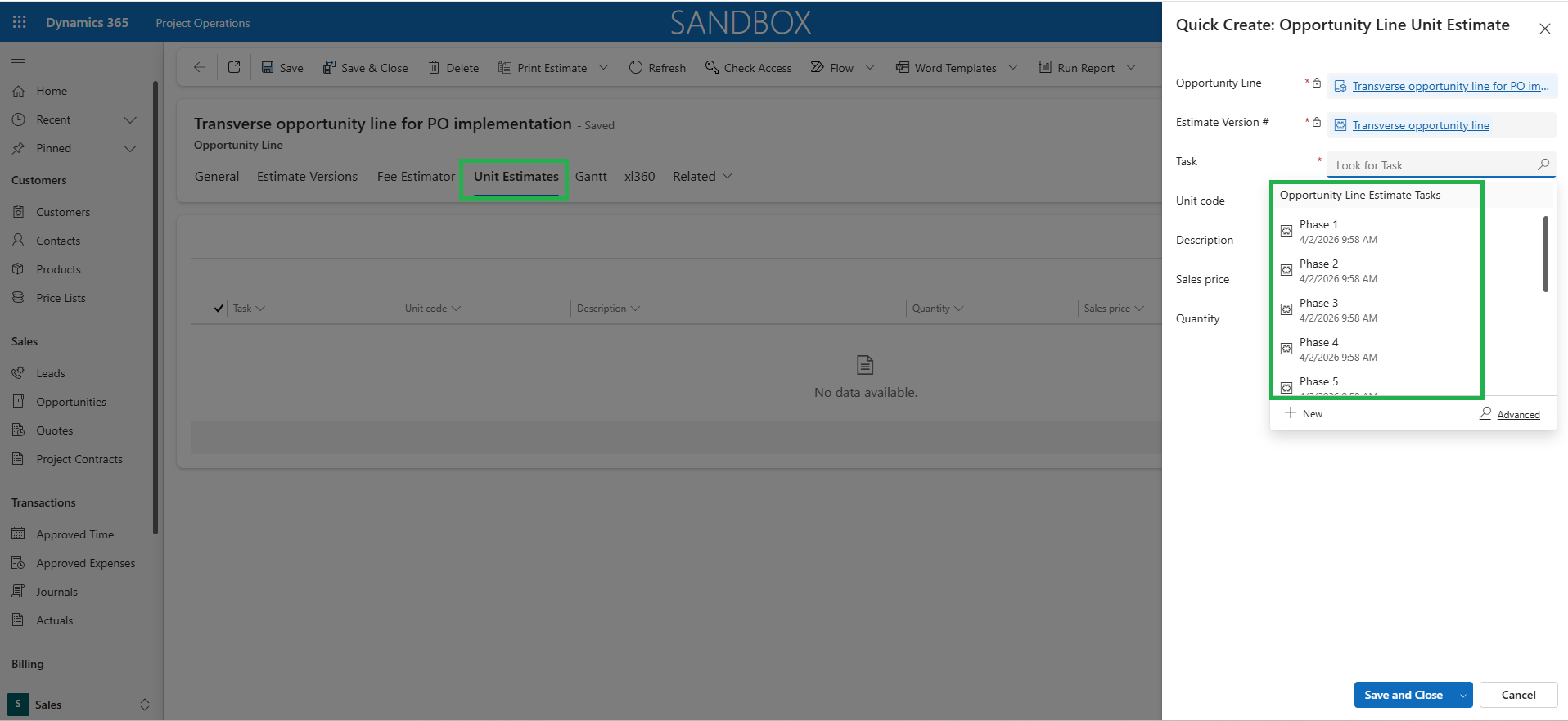
This enhancement on Unit estimate functionality prevents the users to create unit estimates on project tasks/ subprojects that are not as header.
- Users can only select valid project tasks/ subprojects for unit estimate entry, reducing the risk of incorrect task/subproject selection.
- This helps eliminate posting errors, improves data accuracy, and maintain consistency across Project Operations and Finance and Operations applications.
Multiplier and Percent Complete Metrics on Project Summary
This enhancement enables users to view Multiplier and Percent Complete values on the Project Summary tab. These metrics are automatically calculated and updated based on the updated efforts published in Effort Allocation tab, providing better visibility into project progress and performance.
- The calculation logic of Multiplier and Percent Complete depends on a valid Estimate at Completion (EAC) value.
- The Multiplier calculation remains unchanged and continues to be calculated as EAC divided by Total Labor Contract Value.
- The Percent Complete value is calculated based on the project parameter- ‘Percent Complete Calculation’
- If Percentage Complete Calculation is set as ‘EAC Based on Planned Work’, then Percent Complete = Actual Cost / Updated Cost after the Effort Allocation is published.
- If Percentage Complete Calculation is set as ‘EAC Based on Week Start Date’, then Percent Complete = Actual Cost / EAC Cost after the Effort Allocation is published.
Filter resources by Discipline in Effort Allocation
This enhancement enables users to filter resources by Discipline within the Effort Allocation spreadsheet for both WBS and MS Planner projects.
- By allowing discipline-based filtering, it improves resource visibility and supports more efficient planning and allocation activities.
- To support this functionality, a Discipline field has been introduced on the Task and Team tabs during project setup on MS Planner projects and on Team tab on WBS projects, allowing users to categorize resources accurately and perform discipline-based allocation and analysis.